Client Management
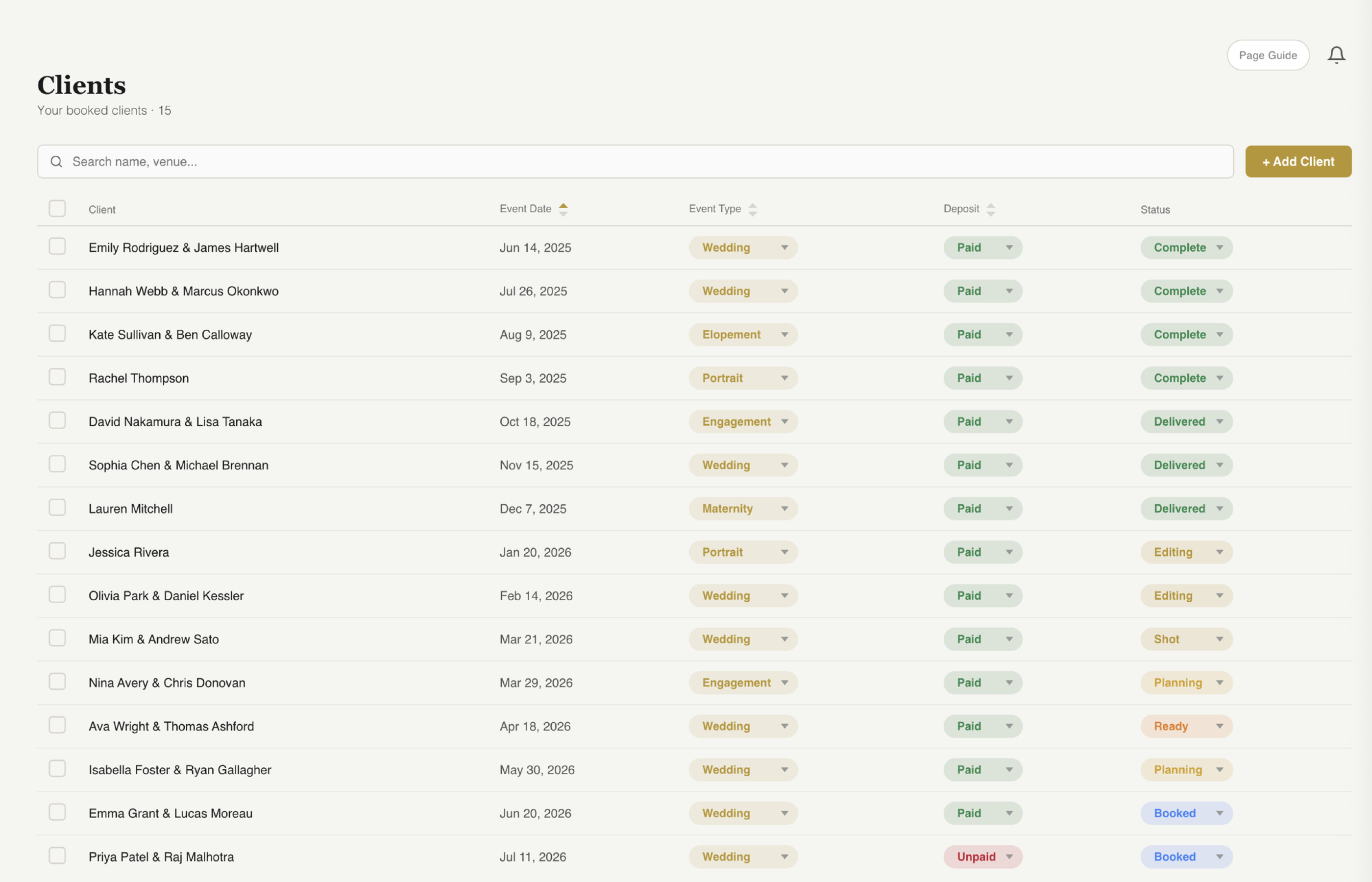
Complete client profiles from the moment they book to the final gallery delivery. Event details, documents, timelines, team assignments, and notes — all organized in a single view.
Start Free Trial
Event date, venue, package, payment status, and contact details at a glance. Everything you need to know about a client without digging through emails.
Send emails, contracts, questionnaires, and invoices directly from the client page. No navigating away. One click and it is done.
Documents, timeline, team, gallery, and notes — each in its own tab. Switch between views instantly without losing context.
See It In Action
Explore the tabs that keep all your client information organized and accessible.
Documents Tab
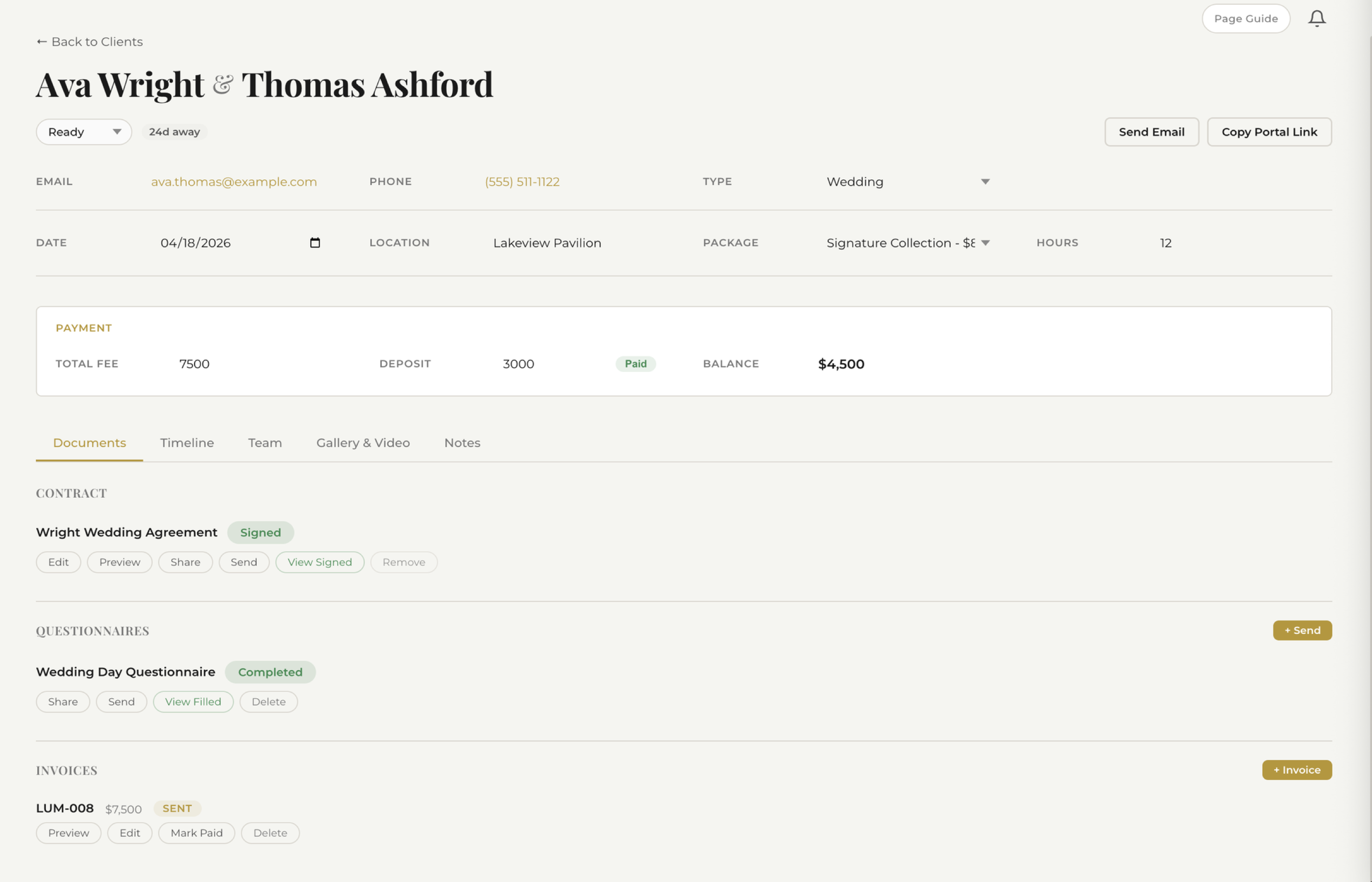
Every contract, questionnaire, and invoice tied to a client lives in one place. See signing status, send reminders, and download signed PDFs without leaving the client page.
Gallery Tab
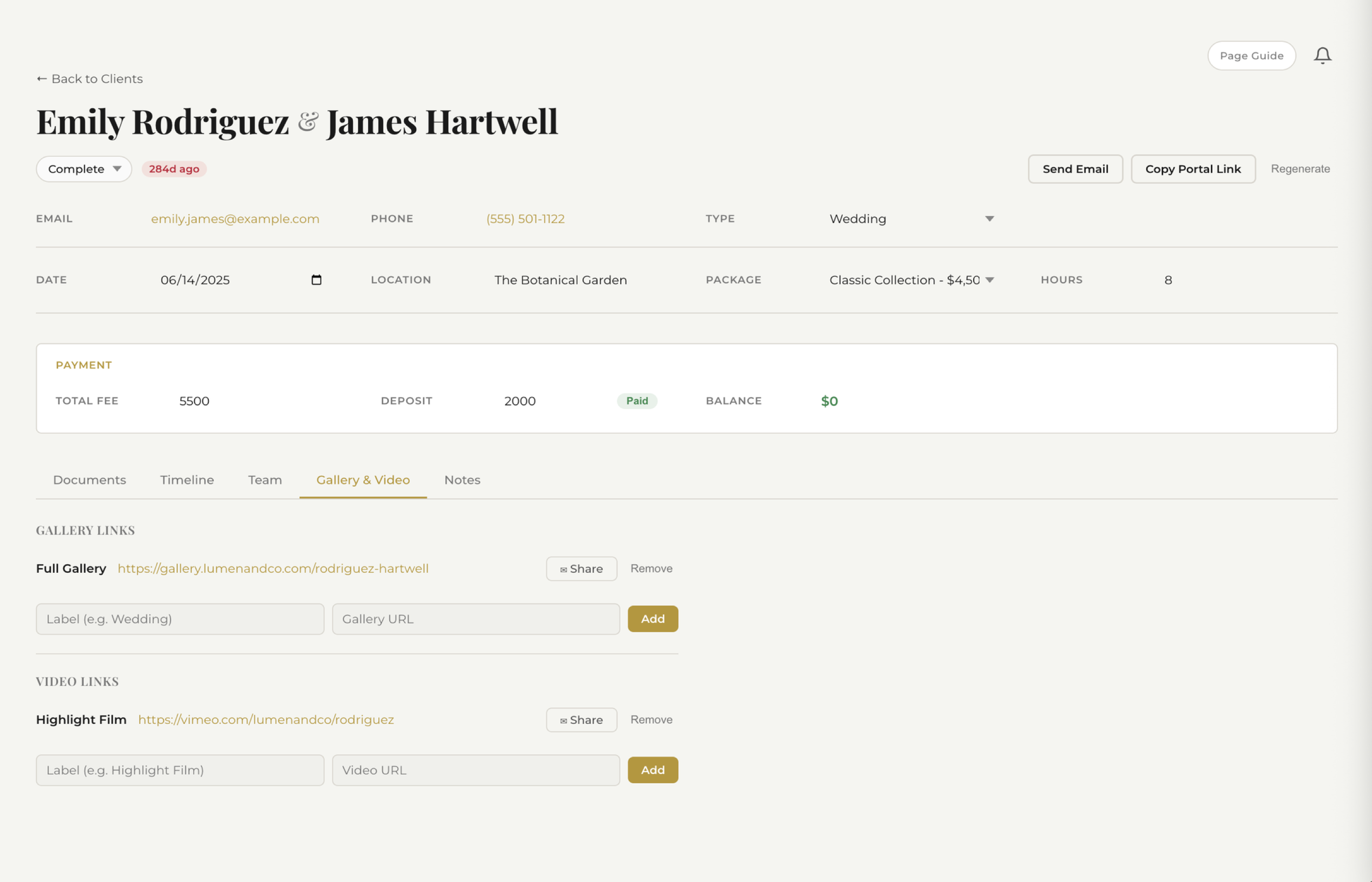
Deliver photos directly through the client page. Upload galleries, set passwords, and share download links — all without switching to a separate platform.
Team Tab
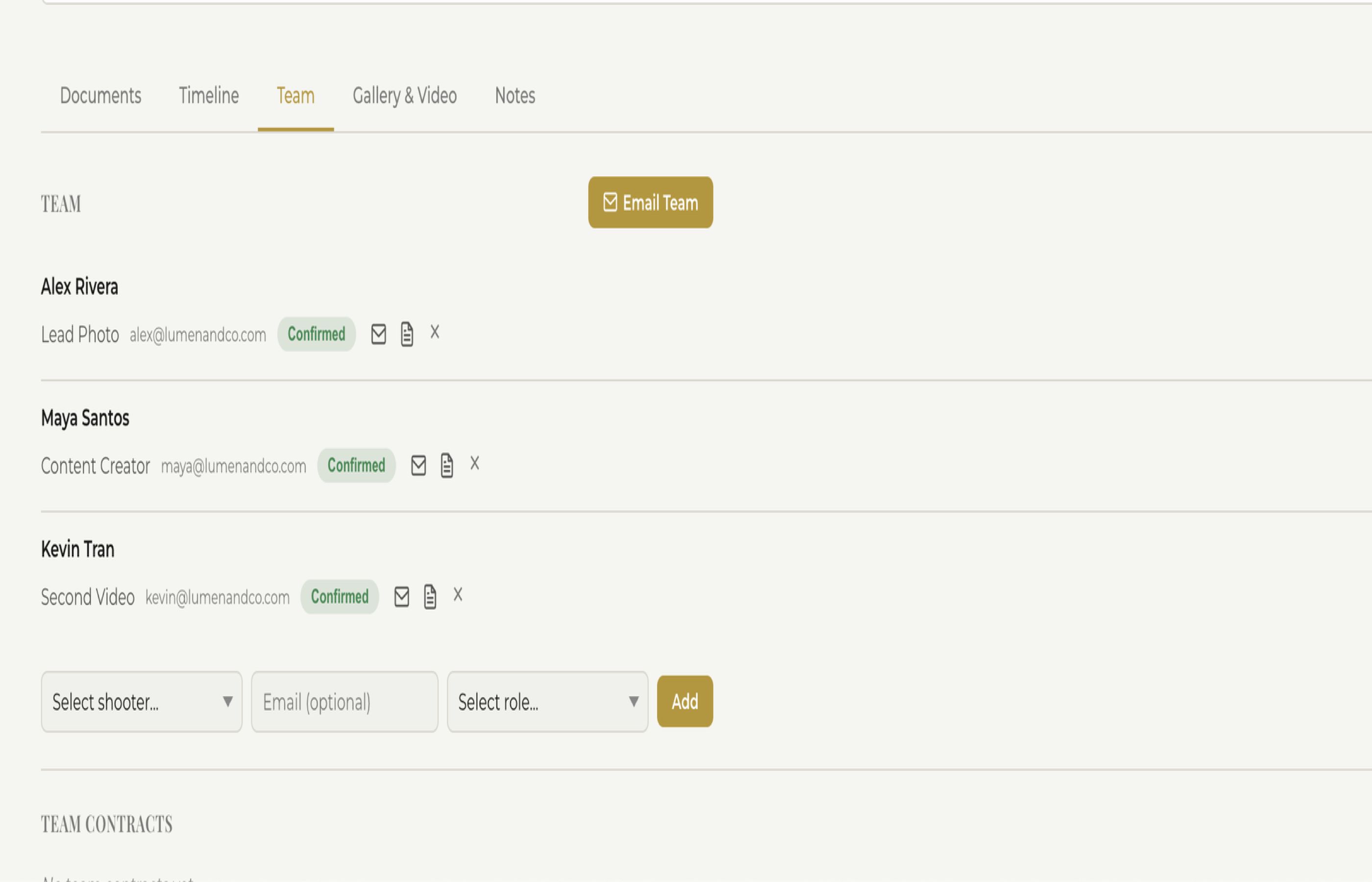
Assign second shooters, assistants, and other team members to each client. Everyone knows their role, and you can see who is working which events at a glance.
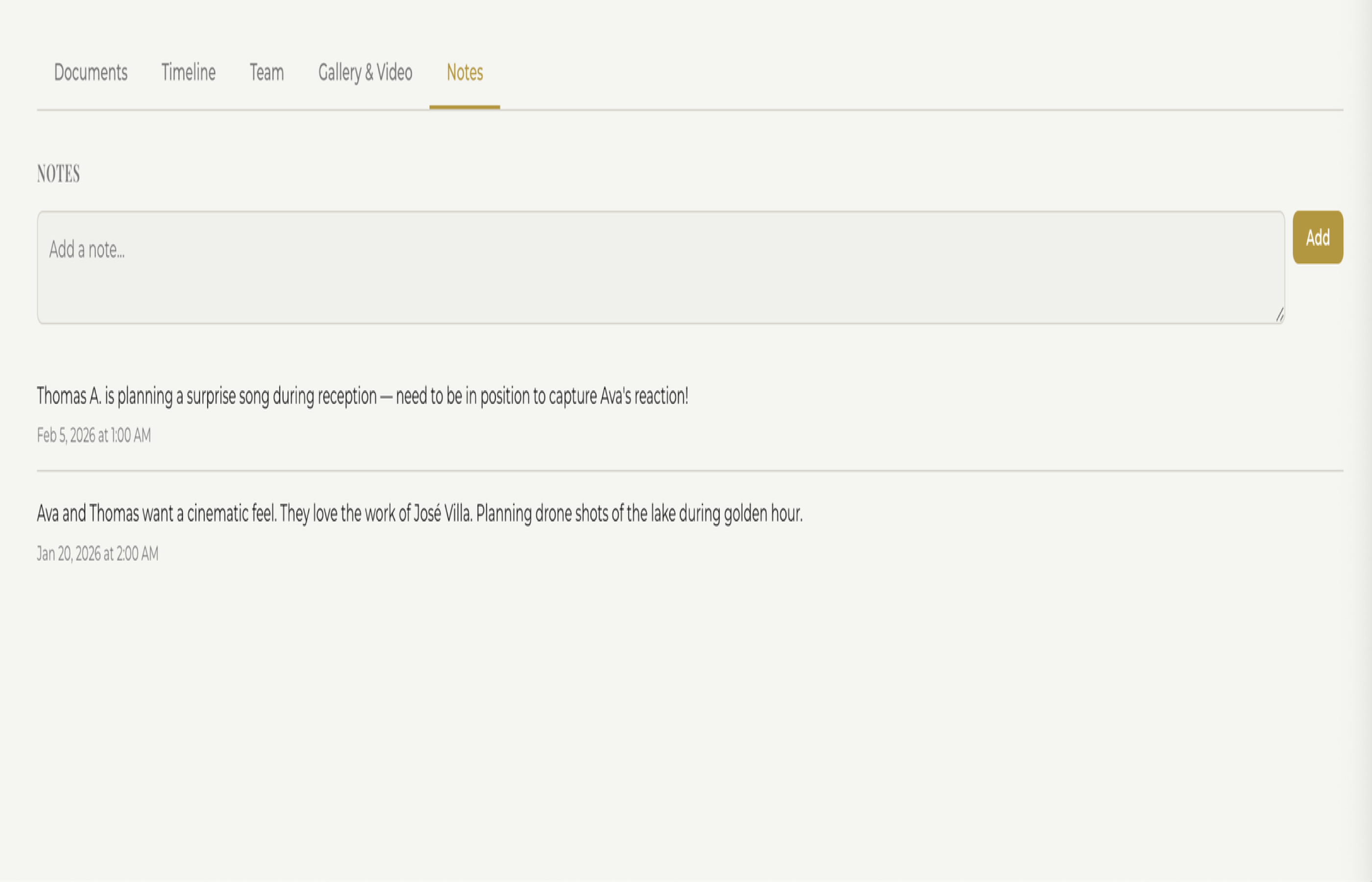
Notes Tab
Jot down notes after consultations, phone calls, or site visits. Your notes are private — only you and your team can see them. Never forget an important detail again.
Every detail organized. Every client impressed. Try fstop free for 14 days.
Start Free Trial