Branding
Set Up Your Branding Kit
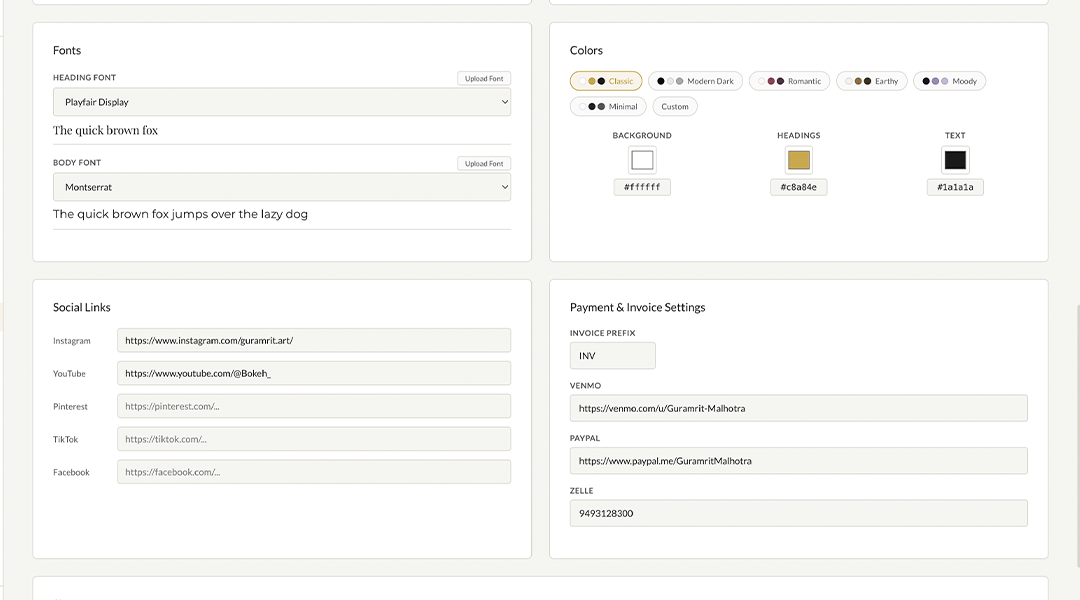
Upload your logo, pick your brand colors, and choose your fonts. Everything you set here automatically applies to your contracts, emails, contact forms, and client portal. Do it once and never think about it again.
- Upload your primary logo and a light/dark variant
- Set your brand colors: background, text, headings, accent, borders
- Choose heading and body fonts from 17+ Google Fonts
- Add your website URL, booking link, and review page link
- Pick your email theme: light, dark, or custom
Templates
Design Your Email Templates
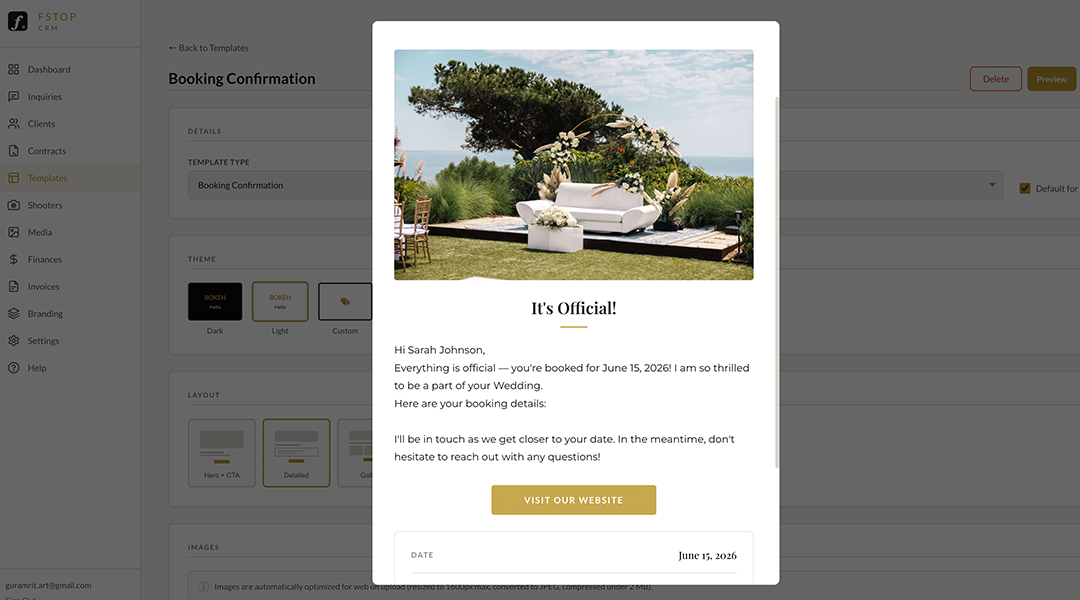
Fstop comes with email templates for every step of your workflow: inquiry responses, booking confirmations, contract sends, invoice reminders, and more. Customize them with your brand and voice, then use them over and over with one click.
- Pre-built templates for inquiries, contracts, invoices, and follow-ups
- Smart variables auto-fill client name, date, venue, and more
- Your brand colors, fonts, and logo applied automatically
- Sent from your Gmail so clients see your name, not ours
- Edit anytime or reset to defaults
Contracts
Build Your Contract Templates
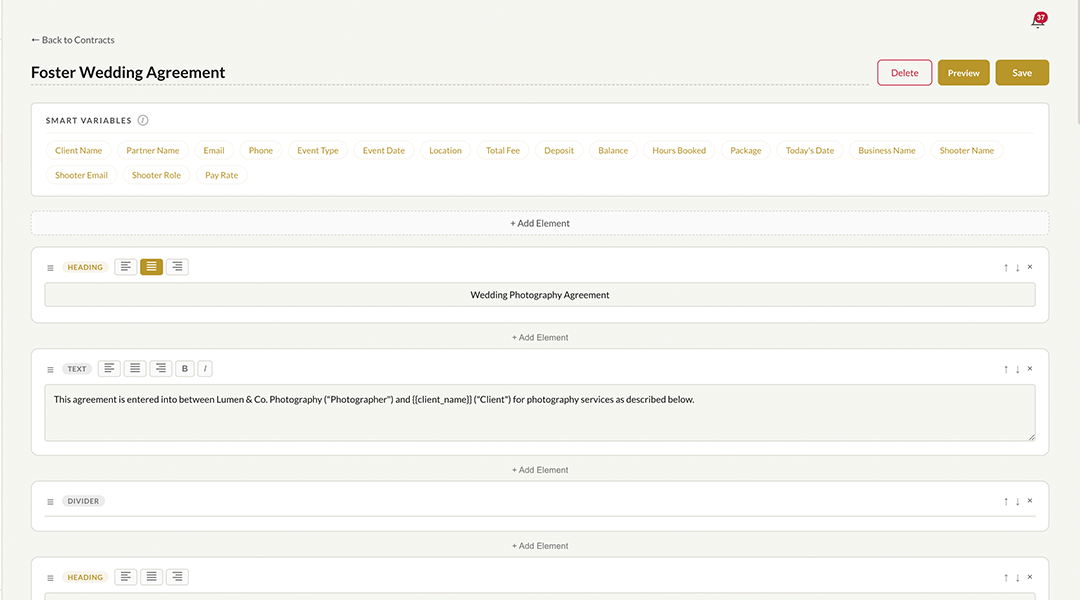
Create contract templates for each type of shoot you offer. Add clauses, drag them into order, and insert smart variables that auto-fill with client details when you send. Build it once, use it for every client.
- Add and reorder clauses with drag-and-drop
- Insert smart variables: client name, date, venue, package, fee, and more
- Create separate templates for weddings, portraits, events, etc.
- Preview exactly what the client will see before sending
- Your logo and branding applied to every contract
Connect
Connect Your Website Form
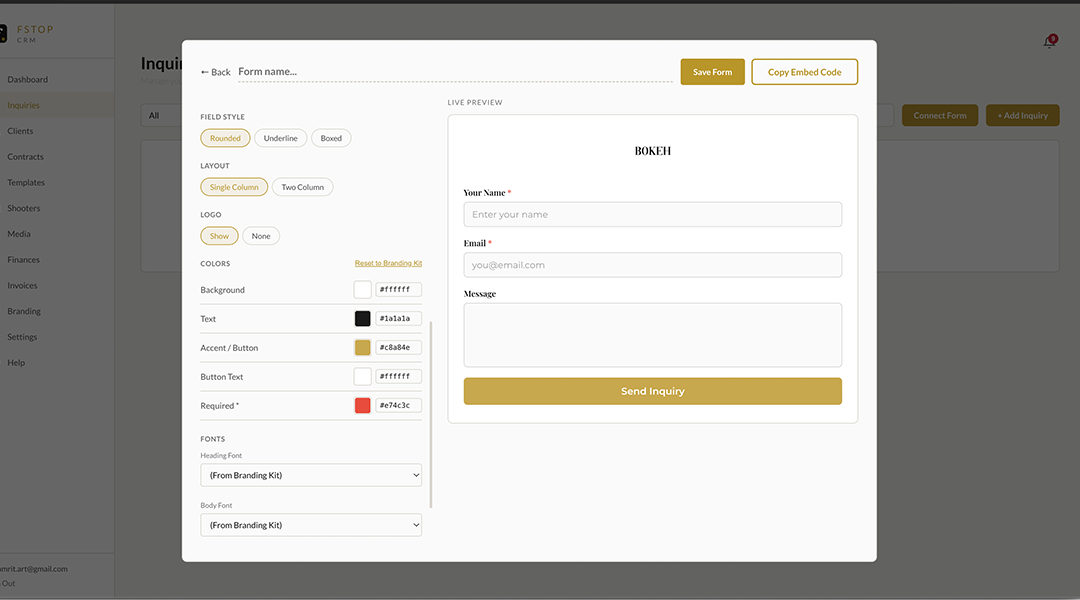
The last step: connect your website so inquiries flow straight into fstop. Build a branded contact form with our form builder and embed it on your site, or keep your existing form and connect it with a webhook URL.
- Built-in form builder with your brand colors, fonts, and logo
- Customize fields, layout, button style, and after-submit behavior
- Copy one code snippet and paste it into your website
- Works with Squarespace, Wix, ShowIt, WordPress, and any platform
- Or use a webhook URL with your existing contact form
All Set
You're Ready to Go
That's it. Your branding is set, your templates are ready, your contracts are built, and your form is live. The next time someone fills out your contact form, their inquiry will appear in fstop fully populated. From there, the whole workflow is automatic.
- Inquiries auto-populate with zero data entry
- Send branded emails and contracts with one click
- Track every client from inquiry to delivery
- Manage invoices, timelines, gallery links, and team members
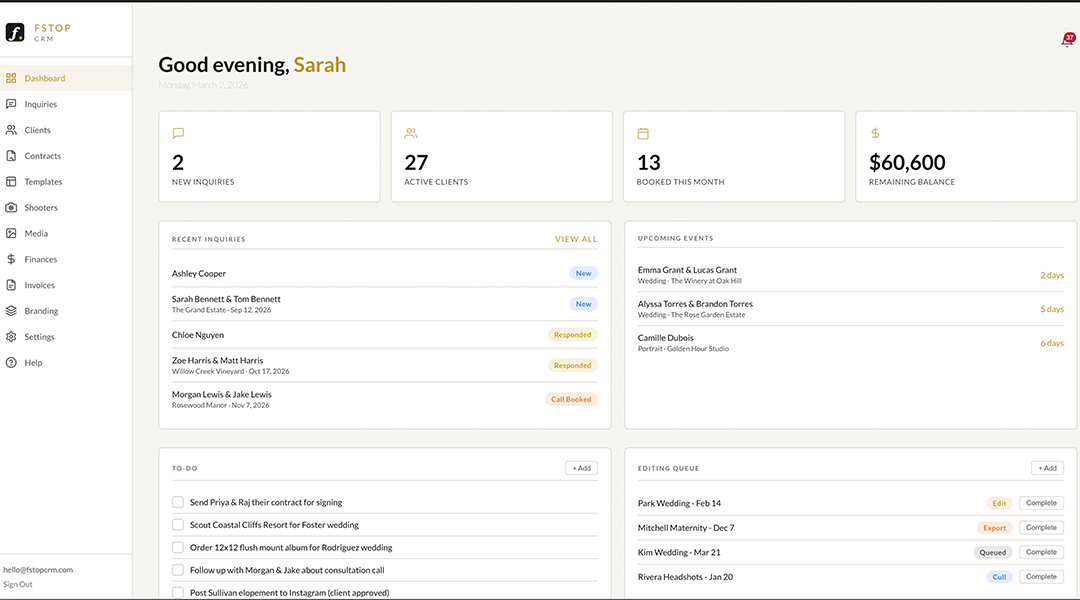
- See your revenue and business stats on one dashboard