How It Works

From First Inquiry to Final Delivery

Fstop handles your entire photography workflow. Here's what happens at every step, from the moment a client finds you to the day you deliver their gallery.

Get Started Free
1

Connect

Connect Your Website's Contact Form

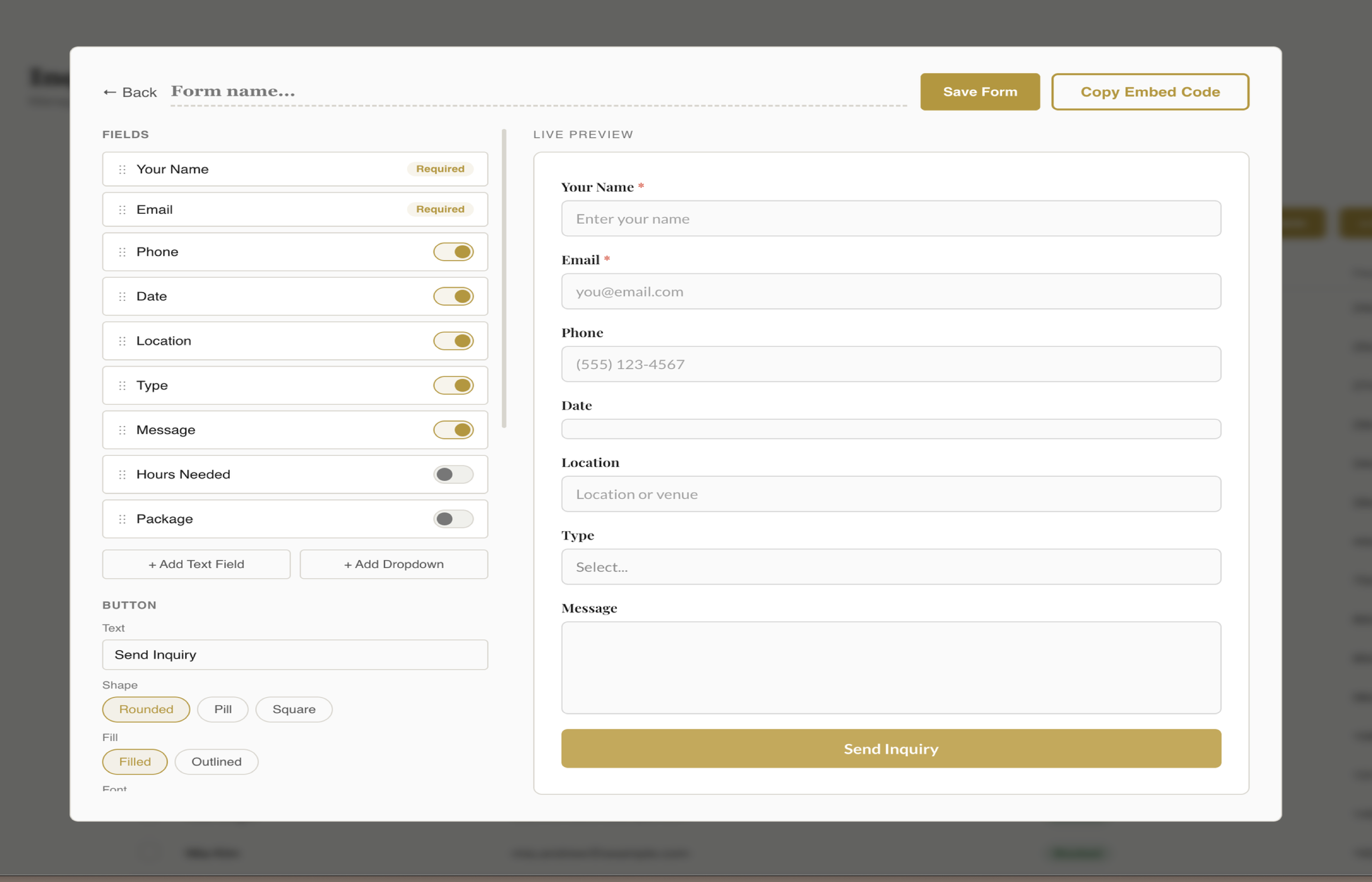
Build a branded contact form inside fstop and embed it on your website with a single code snippet. Or keep your existing form and connect it with a webhook URL. Either way, every inquiry flows straight into your CRM.

  • Built-in form builder with your brand colors, fonts, and logo
  • Works with Squarespace, Wix, ShowIt, WordPress, and any platform
  • Or connect your existing form via a simple webhook URL
  • One-time setup, then it just works
Fstop CRM form builder with live preview
2

Zero Data Entry

Inquiries Arrive Fully Populated

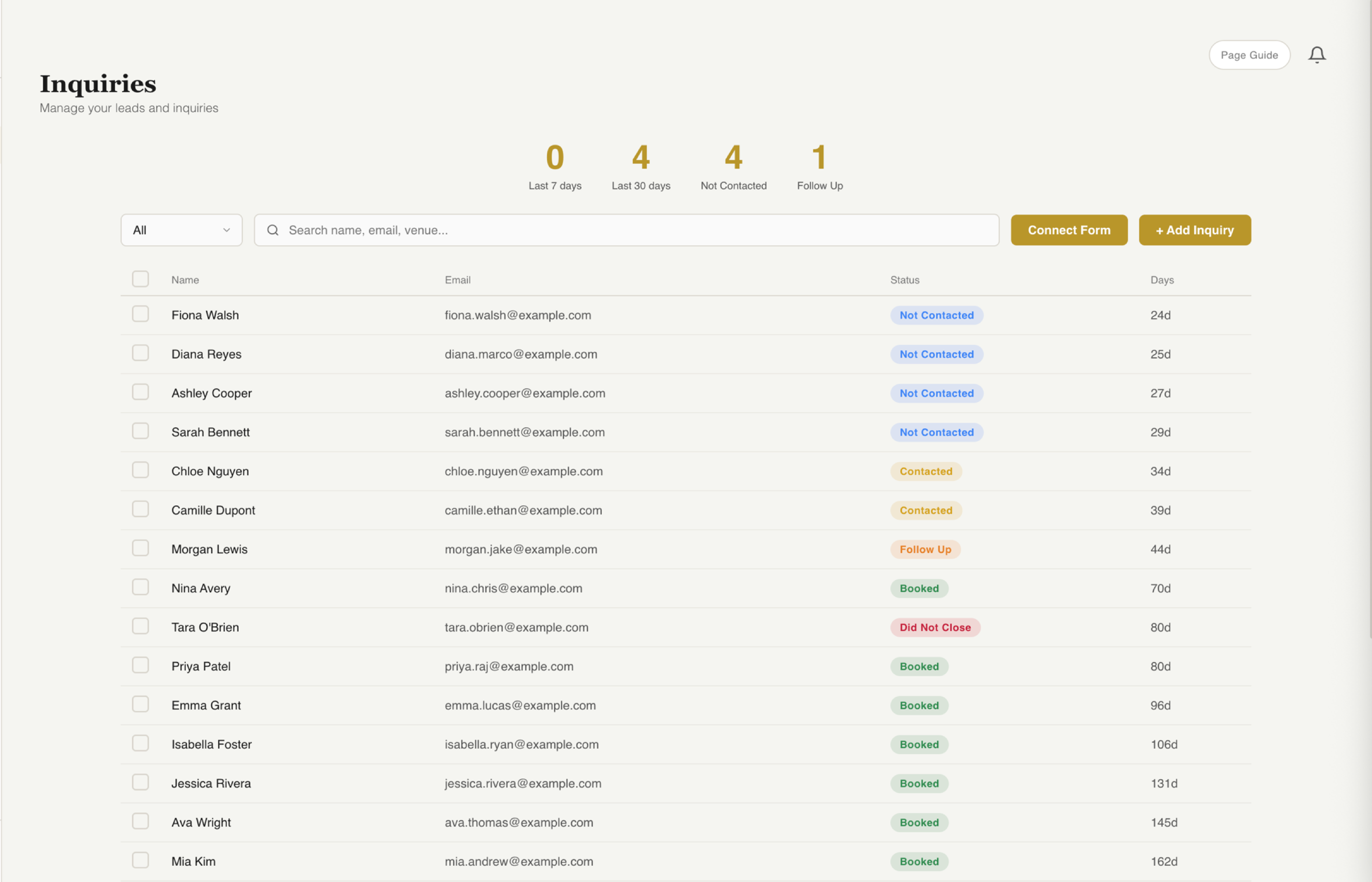
When someone fills out your form, their inquiry appears in fstop instantly. Name, email, phone, event date, venue, event type, message. All filled in. No copy-pasting from your inbox. No spreadsheets.

  • Every field auto-populated from the form submission
  • Instant notification so you never miss a lead
  • Custom fields captured automatically in the lead detail
  • Activity timeline tracks every interaction from day one
Fstop CRM fully populated inquiry detail
3

Lead Management

Work Your Pipeline

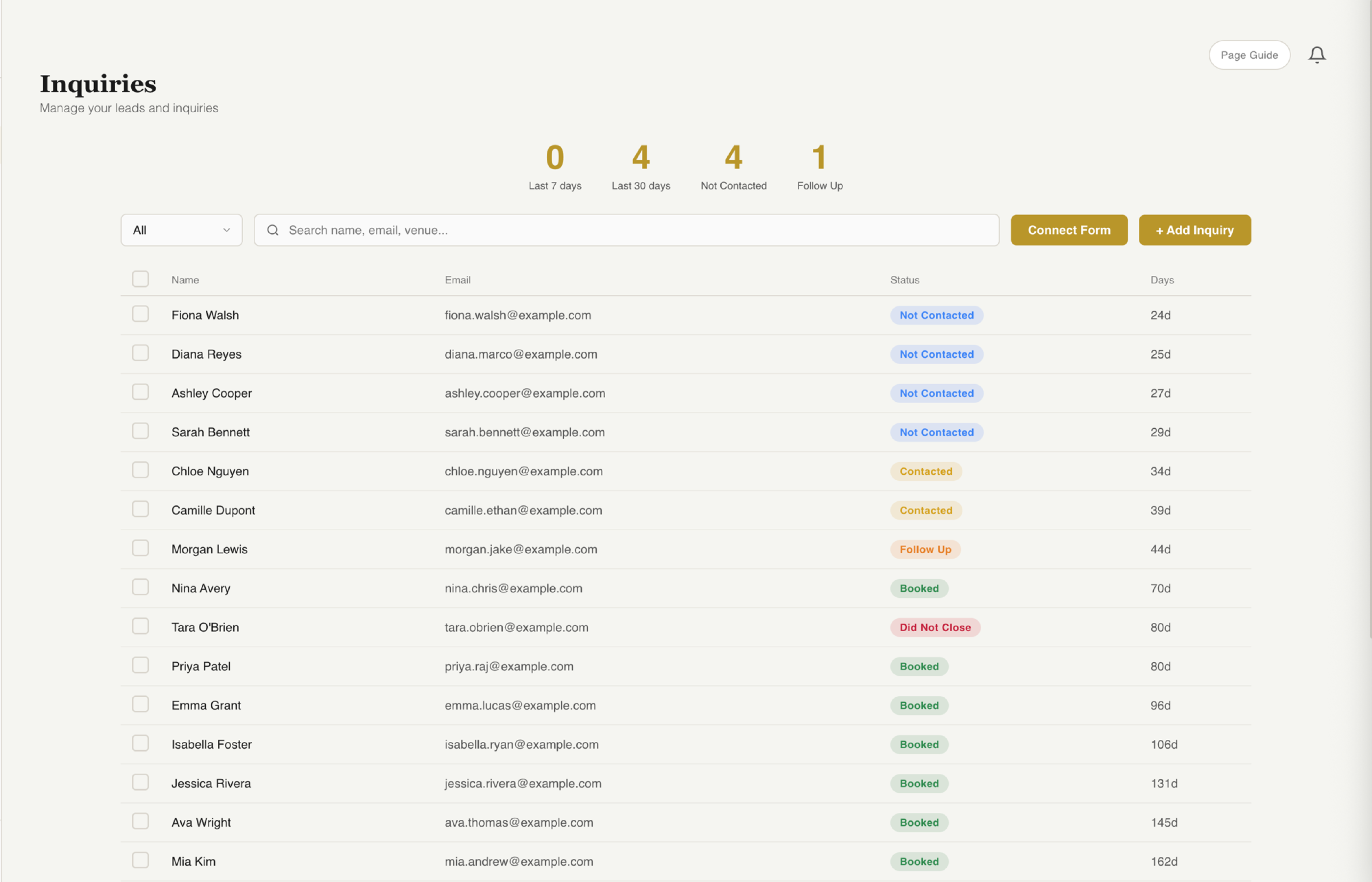
Every inquiry starts as "Not Contacted" and moves through your pipeline as you respond. Send a branded inquiry response email, schedule a consultation call, follow up. All without leaving fstop.

  • Pipeline stages: Not Contacted, Contacted, Follow Up, Booked, Did Not Close
  • Send branded emails with one click using your templates
  • Add internal notes for each lead
  • See your entire pipeline at a glance
Fstop CRM inquiry pipeline with status badges
4

Conversion

Book the Client

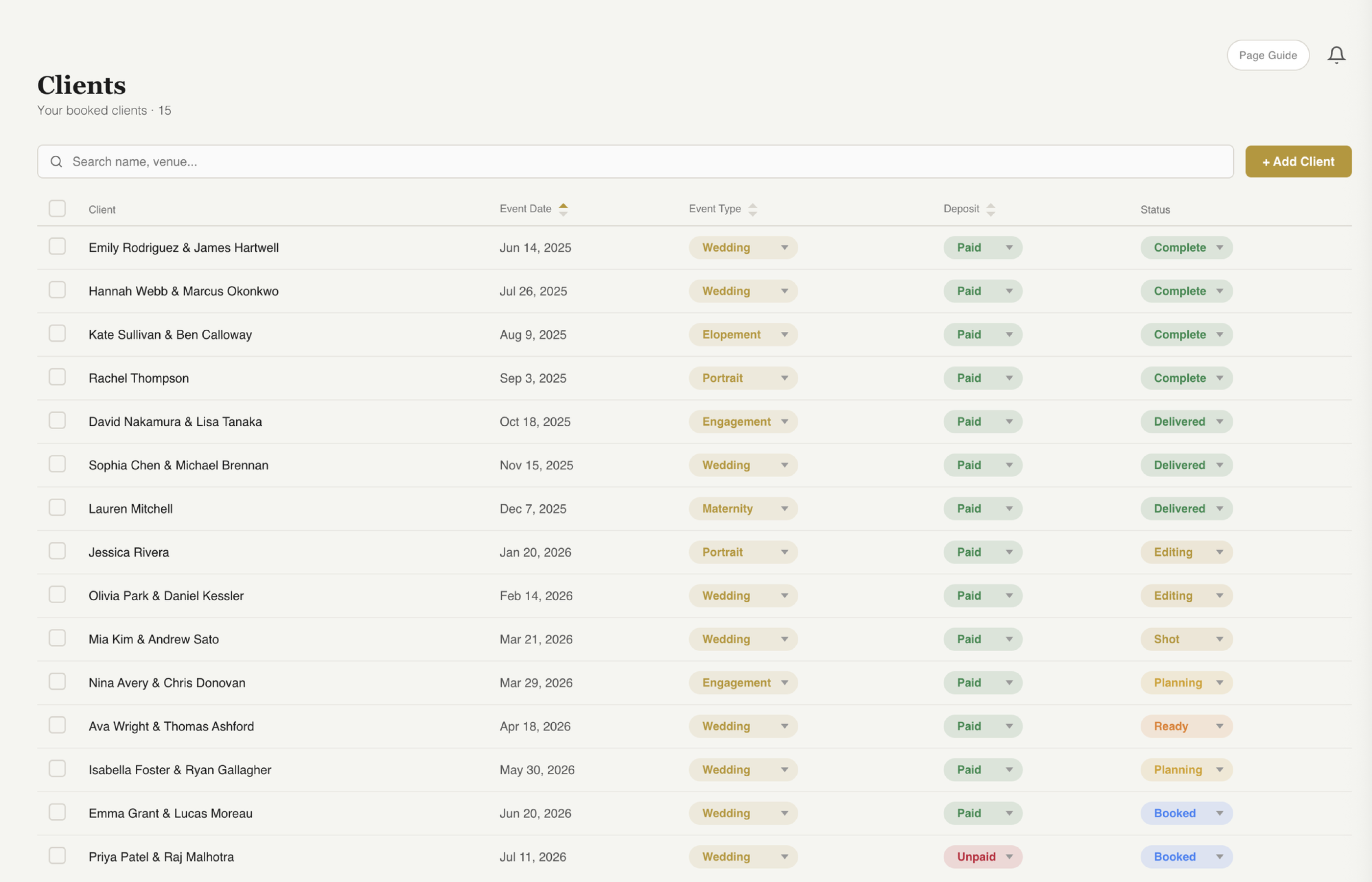
When a lead says yes, move them to "Booked" and fstop does the rest. A full client record is created automatically with all their details carried over. If you've connected Google Calendar, the event is added to your calendar too.

  • Client record auto-created from lead data
  • Contact info, event details, and package all carried over
  • Google Calendar event created automatically
  • No re-entering information, ever
Fstop CRM clients page with calendar view

Zero Busywork. Just Shoot.

From inquiry to booked client, fstop eliminates every piece of manual data entry.

Start Free Trial
5

Agreements

Send the Contract

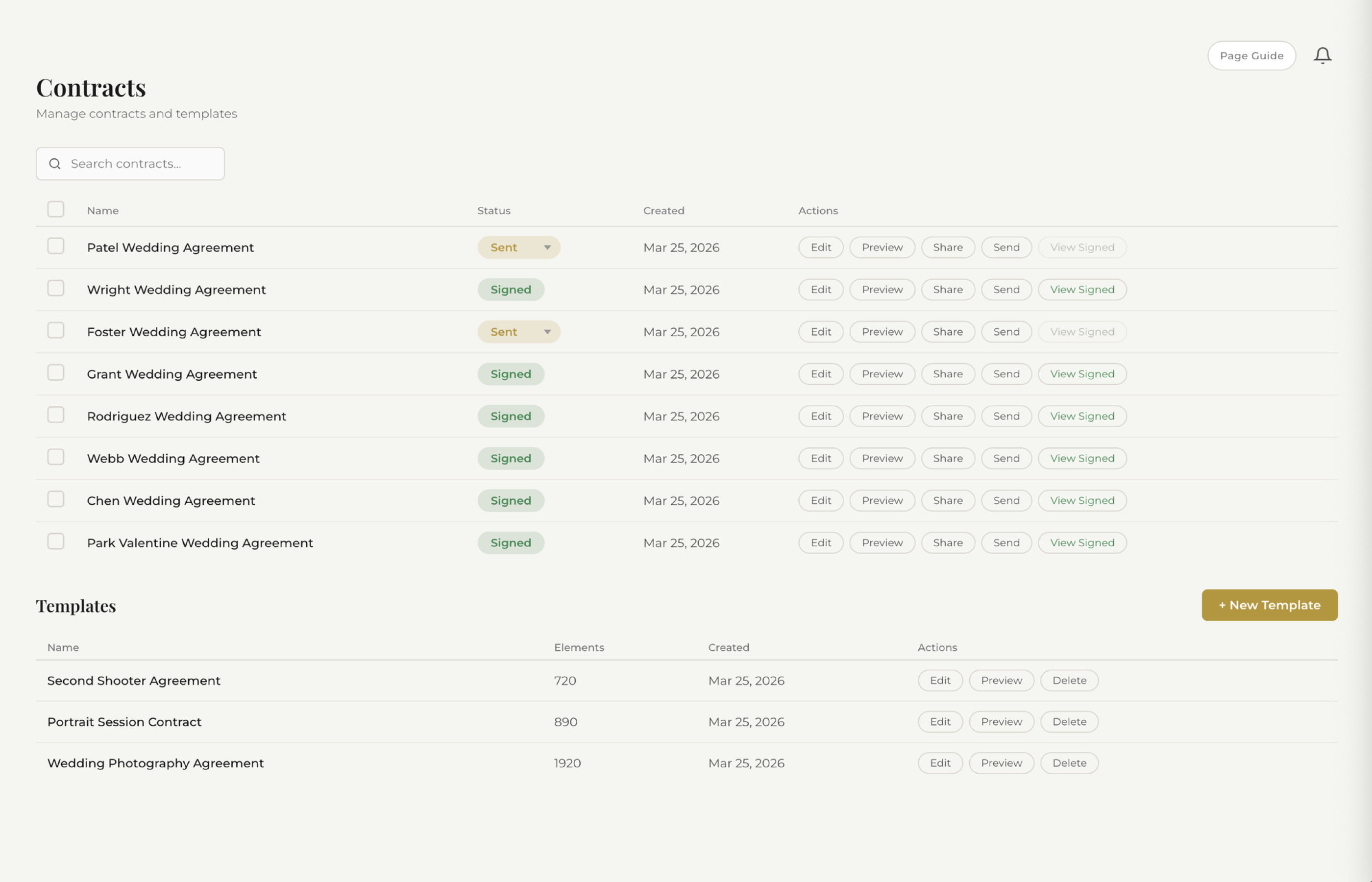
Pick a contract template you've already built. Fstop auto-fills the client's name, event date, venue, package, fee, and every other detail using smart variables. Share it with a link or send it via email. The client signs right from their phone or computer.

  • Smart variables fill in client and event details automatically
  • Clients sign online with legally binding e-signatures
  • Track status: draft, sent, viewed, signed
  • Your branding on every contract
Fstop CRM contract with template selection and smart variables
6

Client Management

Manage the Entire Project

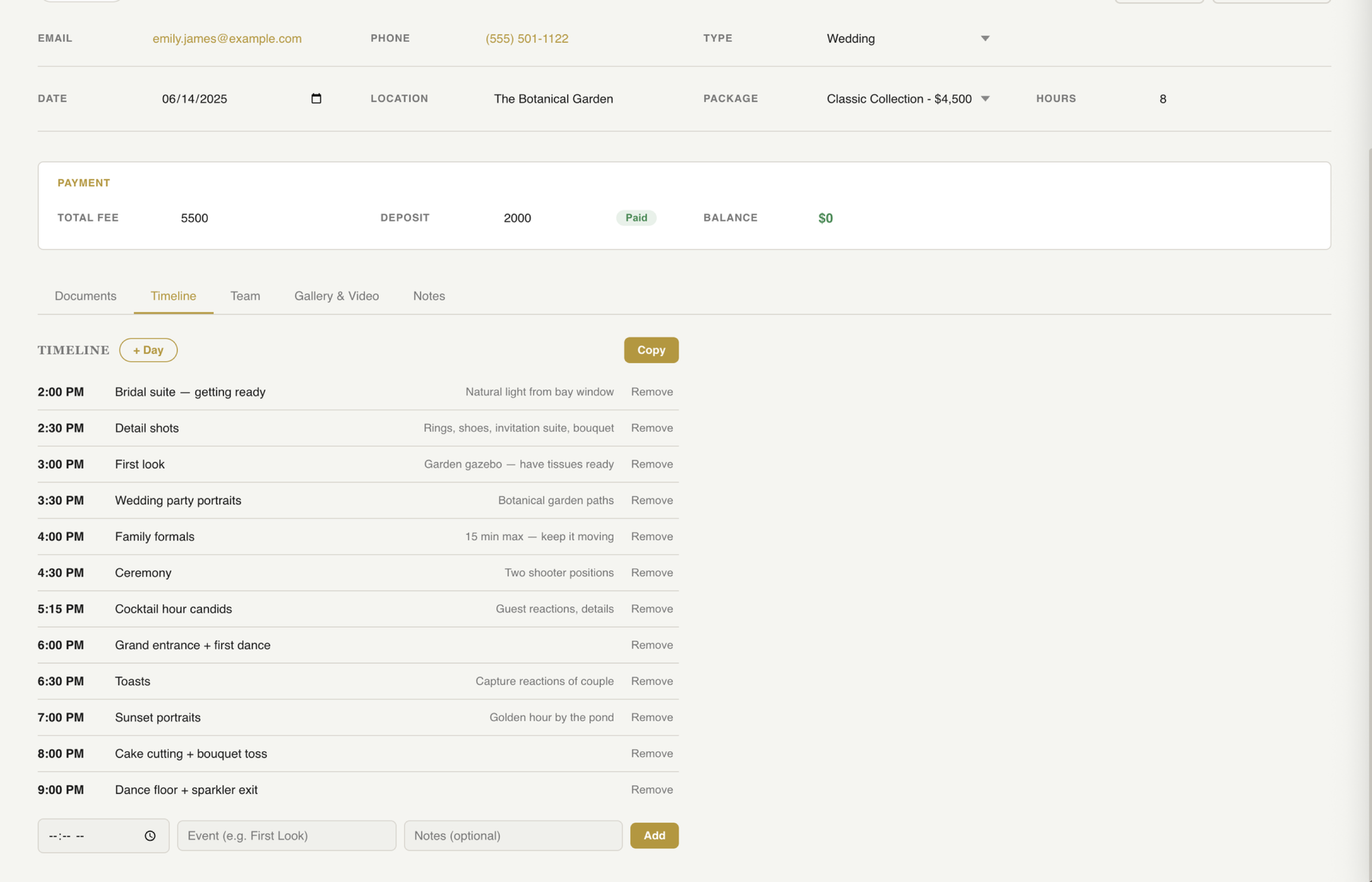
Each client has a full profile with everything you need. Track their status from Booked through Planning, Ready, Shot, Editing, to Delivered. Build a day-of timeline with golden hour and weather. Assign team members. Add notes. Upload a shareable gallery.

  • Client lifecycle: Booked, Planning, Ready, Shot, Editing, Delivered, Complete
  • Day-of timelines with sunset, golden hour, and weather data
  • Team management for second shooters and assistants
  • Notes, gallery uploads, and shareable delivery links
Fstop CRM client statuses and day-of timeline
7

Finances

Get Paid and Track Revenue

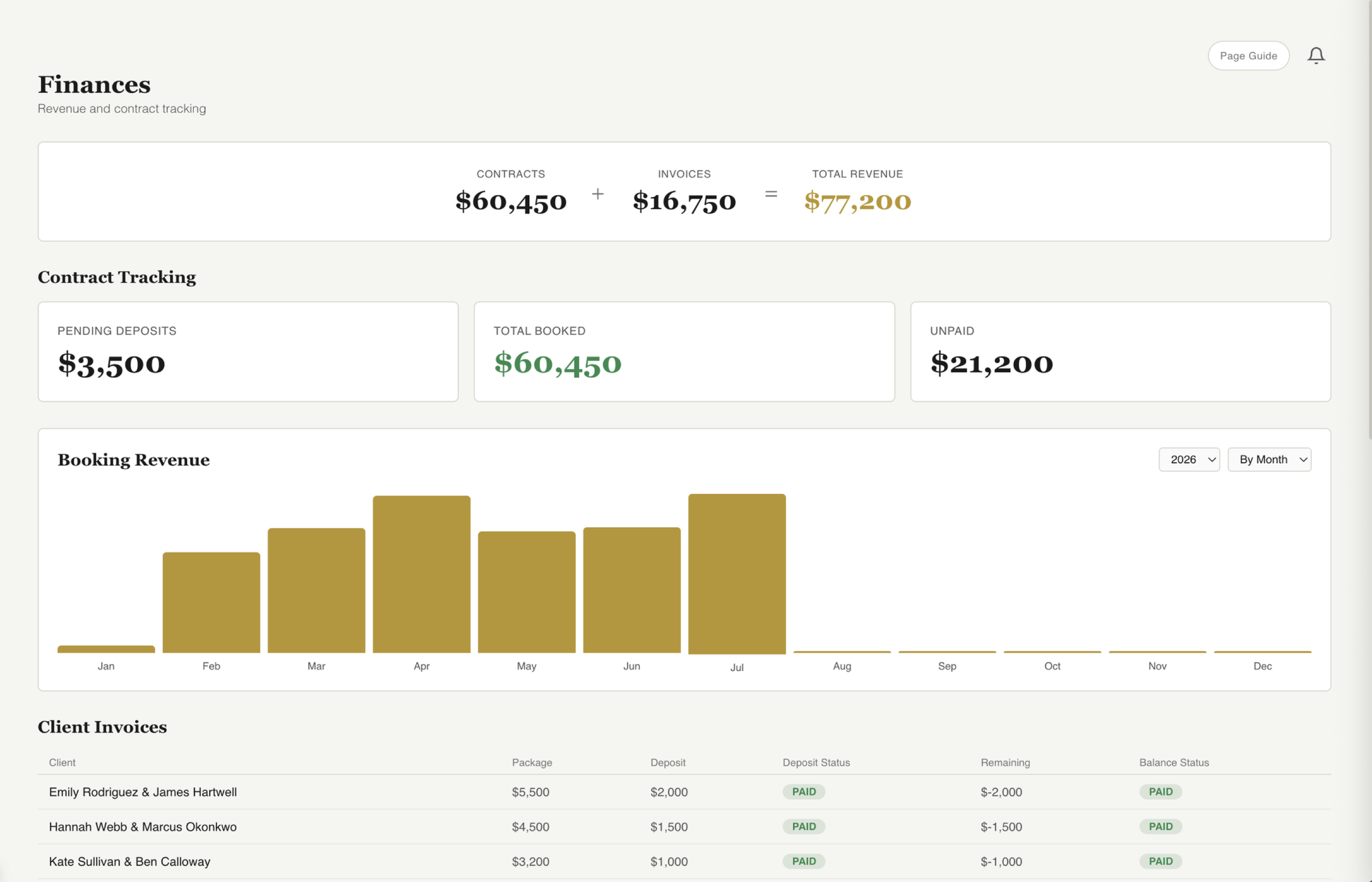
Generate invoices directly from the client's profile. Track deposits, final payments, and outstanding balances. Your finances dashboard shows revenue charts, monthly breakdowns, and exactly where your money stands.

  • Generate branded invoices with one click
  • Track deposits, payments, and balances per client
  • Revenue dashboard with monthly and yearly charts
  • Send invoices via email with your branded templates
Fstop CRM finances dashboard with revenue charts

Ready to Simplify Your Workflow?

7 days free. $21.99/mo after that. Every feature included. No setup fees, no per-client charges, no surprises.

Get Started Free