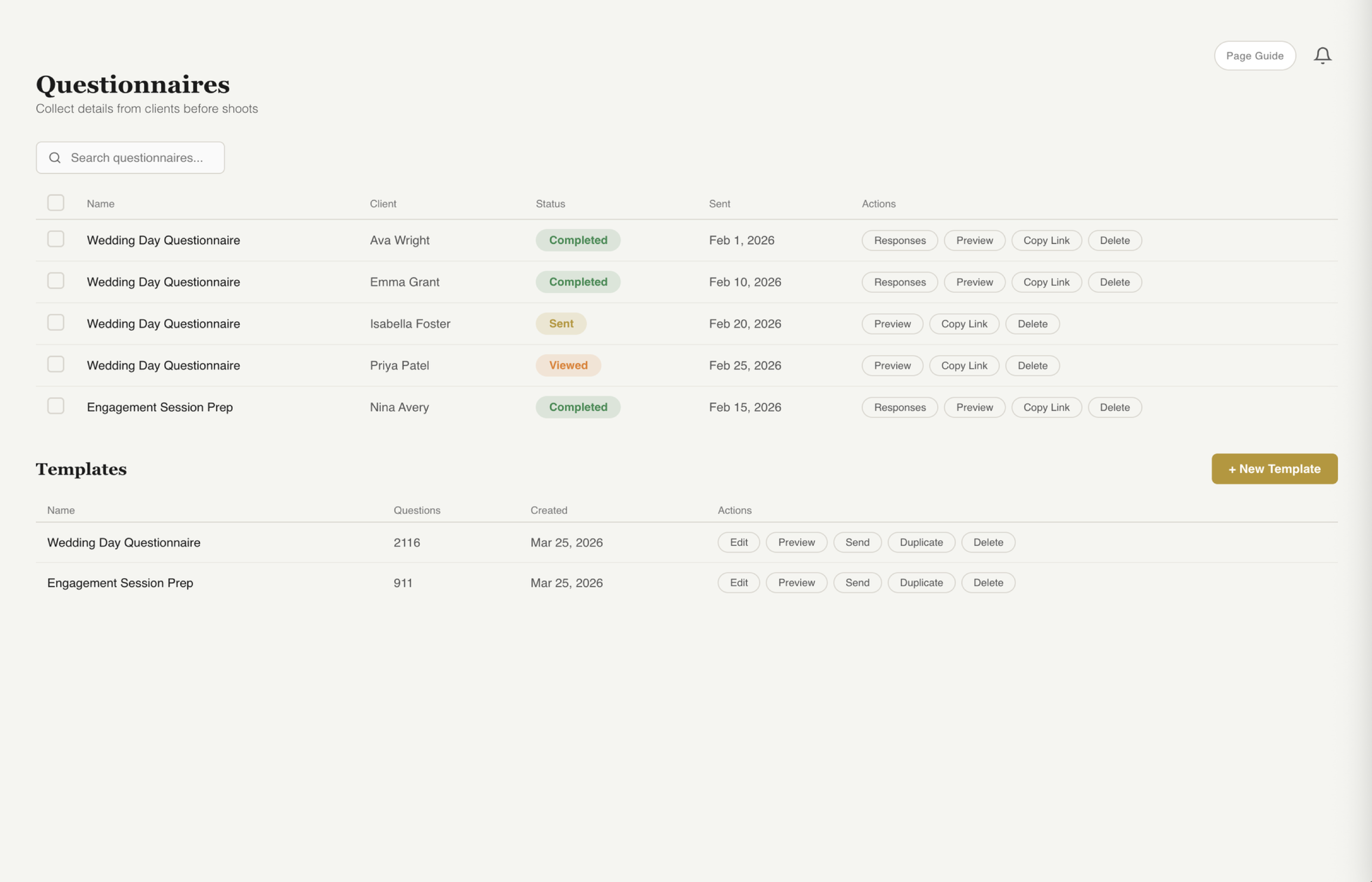
Client Questionnaires
Collect shot lists, style preferences, family groupings, and every detail that matters — all before the shoot day.
Start Free Trial
What's Included
From building your questions to tracking who has responded, fstop handles the entire questionnaire workflow.
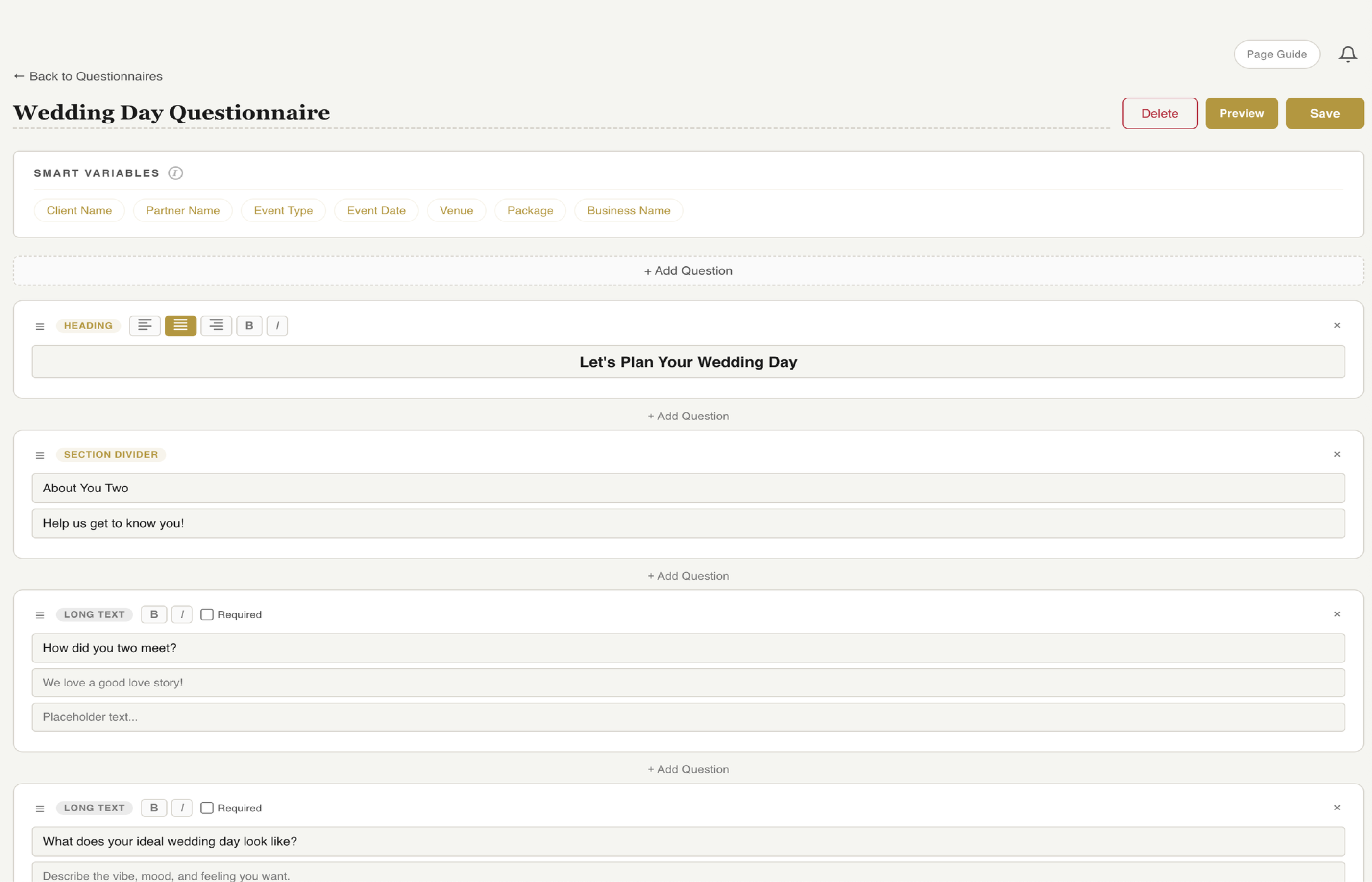
Add headings, text fields, multiple choice, checkboxes, dropdowns, and date pickers. Drag to reorder, toggle on or off, and customize every label. Build exactly the questionnaire you need.
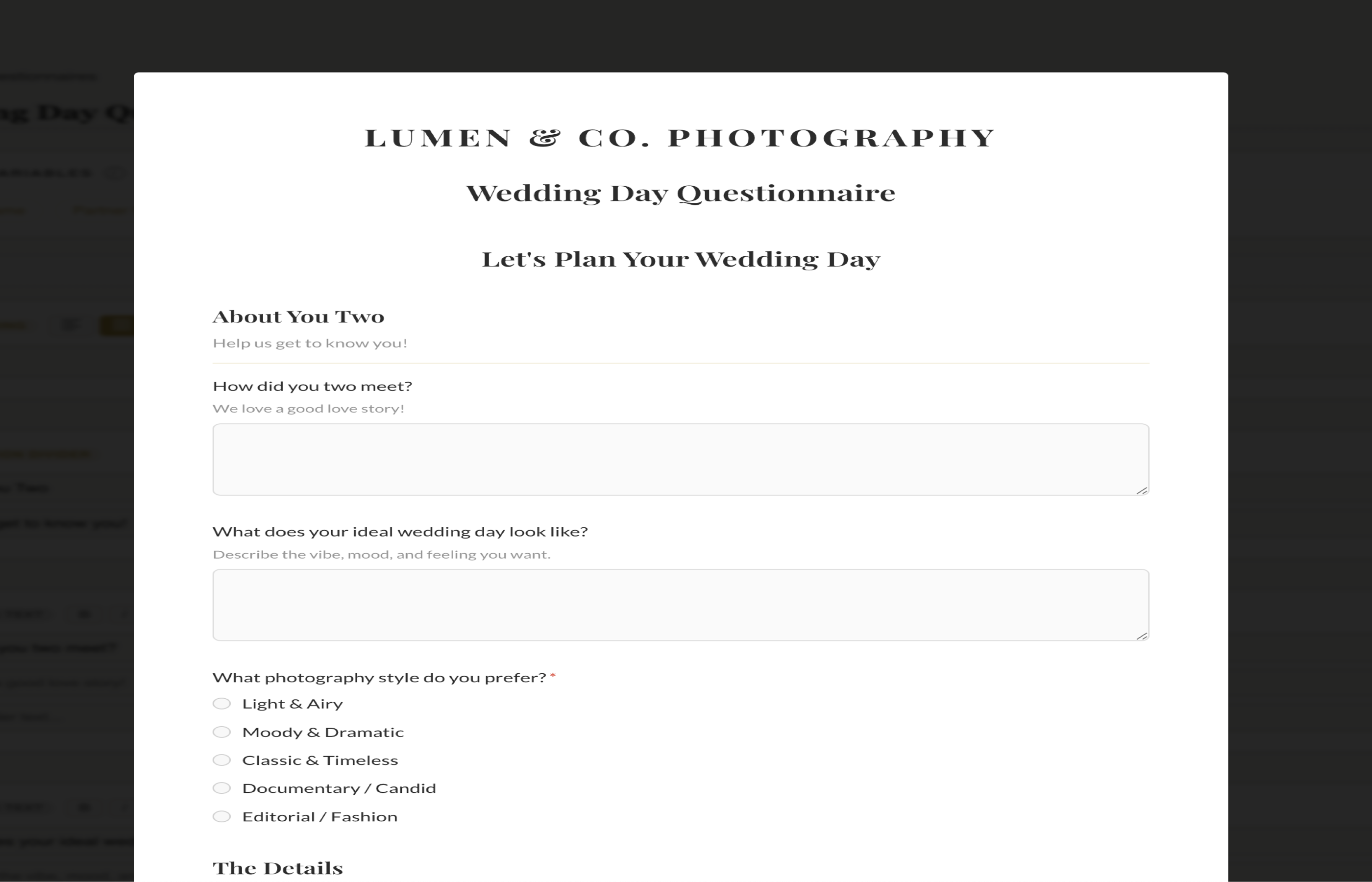
Your business name, logo, and brand colors appear on every questionnaire your clients see. It looks like your business, not a generic form. Professional from the first interaction.
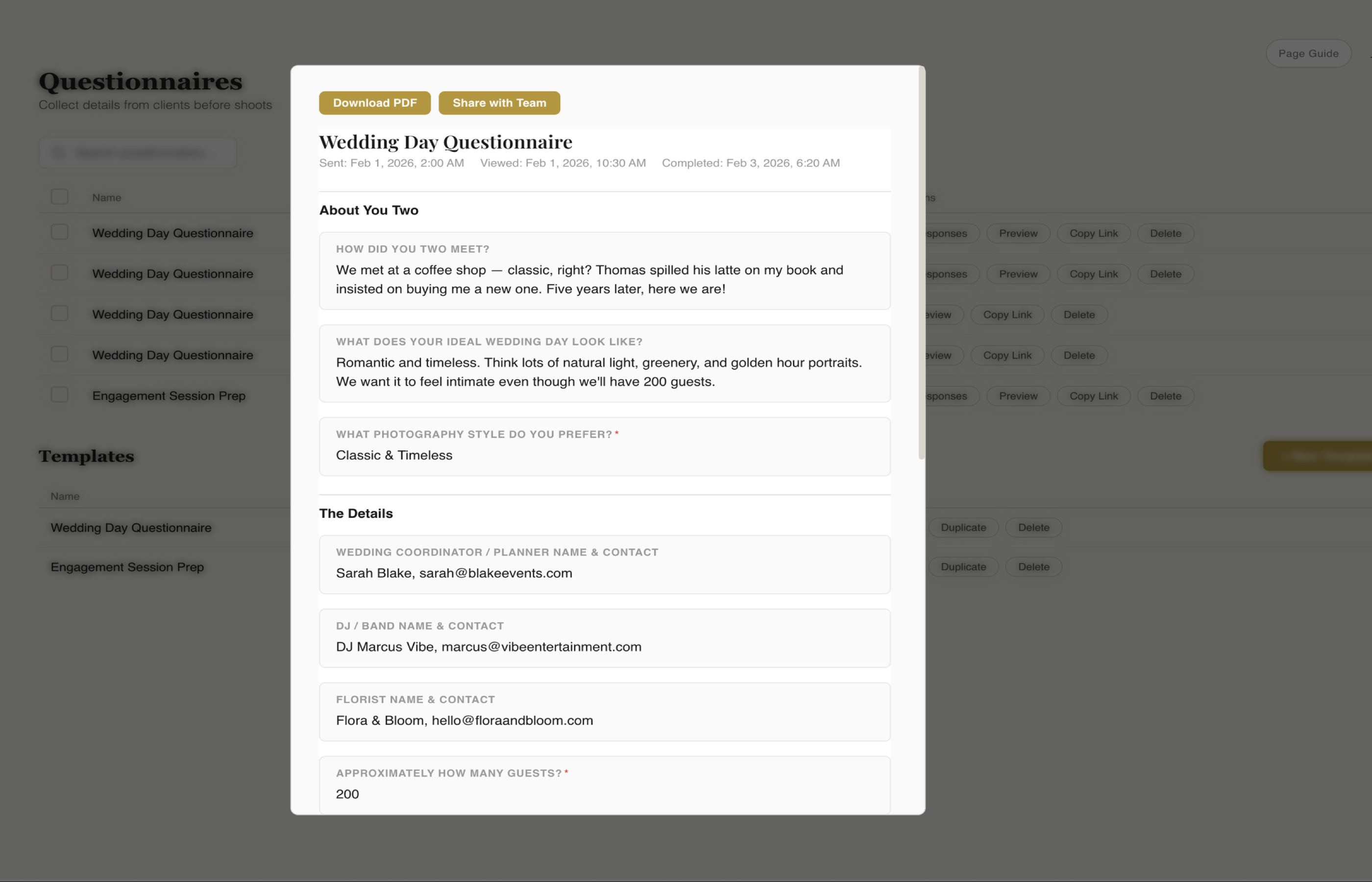
See who has completed their questionnaire, who has viewed it, and who still needs a nudge. All responses are stored in the client record so you can review them anytime before the shoot.
See It In Action
Walk through the entire questionnaire workflow, from creating your questions to reviewing your client's answers.
Question Builder
The drag-and-drop builder gives you every question type you need to collect the details that matter. Reorder fields, mark them required, and customize labels and placeholder text.
Client View
What your client sees is a polished, branded questionnaire that matches your business. Your logo, colors, and fonts carry through the entire experience — from the first question to the submit button.
Response Dashboard
See all questionnaire responses at a glance. Know which clients have completed theirs, which ones opened it but didn't finish, and who hasn't started yet — so you can follow up before it's too late.
Build your first questionnaire in minutes. Drag-and-drop builder, branded design, and response tracking included in every plan.
Start Free Trial