If you are running your photography business out of Gmail, a Notes app, and a spreadsheet you swear you will clean up someday, you already know something is broken. You lose track of inquiries. You forget to follow up. You send the wrong contract. You have no idea how much money you made last month without doing math in your head.
A CRM (Client Relationship Manager) fixes all of that. It is the operating system for your business. And yet most photographers either do not use one, or they sign up for one and quit within a month because it is too complicated for what they actually need.
Here is a clear breakdown of what a CRM should do for you, why most options are built for the wrong person, and what to look for instead.
What a CRM Actually Does for a Photographer
At its core, a CRM does five things:
- Captures every inquiry in one place so nothing falls through the cracks
- Tracks where every lead stands in your pipeline, from first contact to signed contract
- Stores client information so you never have to dig through old emails to find a date or address
- Manages contracts and invoices so clients can sign and pay without printing anything
- Sends branded emails and follow-ups so your communication looks polished and consistent
Without a CRM, you are doing all of this manually, across multiple platforms, with your memory filling in the gaps. That works until it does not, and when it fails it usually costs you a booking or a client relationship.
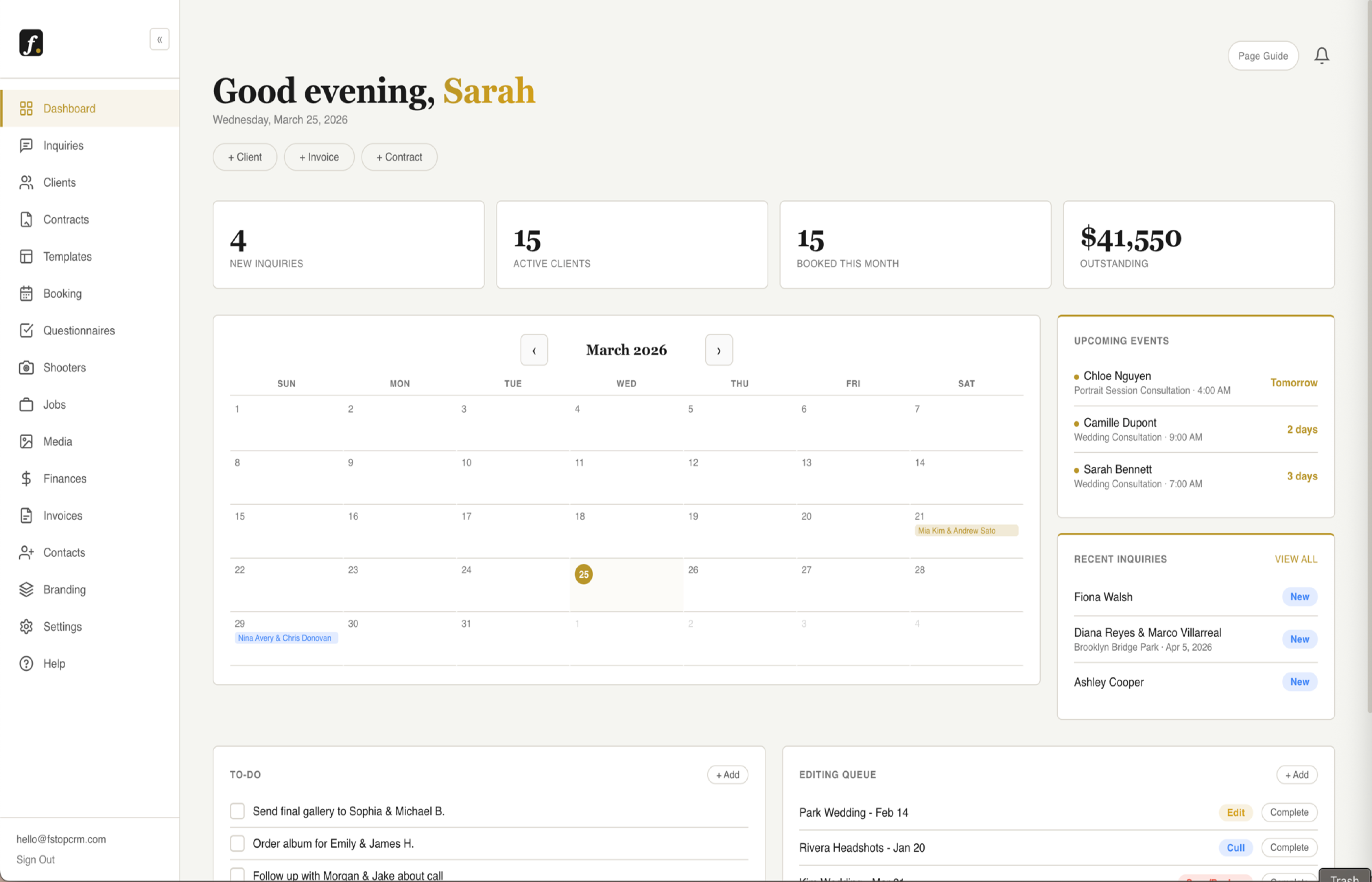
See how fstop's dashboard works →
The Problem With Most Photography CRMs
Here is the honest truth about the market: most photography CRMs were not built for photographers. They were built for generic service businesses and then dressed up with photography branding. The result is software that is feature-heavy, confusing, and expensive for what you actually use.
HoneyBook
HoneyBook is one of the most well-known options, and it is genuinely a capable platform. But it starts at $39 per month for a stripped-down plan and jumps to $79 for the features you actually need. It is also built for a broad range of service businesses, which means the interface is cluttered with tools that have nothing to do with photography. Photographers who use it often report spending more time learning the software than benefiting from it.
Dubsado
Dubsado is powerful. Maybe too powerful. It has workflows, automation, scheduling, client portals, and a customization system so deep that the learning curve is genuinely steep. Many photographers spend weeks setting it up and still feel like they are not using it right. It is priced at $20 per month, but the complexity tax is real. If you want a system that works out of the box, Dubsado is not it.
17Hats
17Hats has been around for years and has a loyal user base. But the interface feels dated and the platform has not kept up with modern expectations. It works, but it does not feel good to use, and in a business where your brand experience matters, that has a cost.
The Pattern
Every one of these platforms has the same problem: they were built to serve everyone, which means they serve no one particularly well. A photographer does not need a project management system, a scheduling tool for fifty employees, or a client portal built for an agency. They need something focused, fast, and built specifically for the way a photography business actually works.
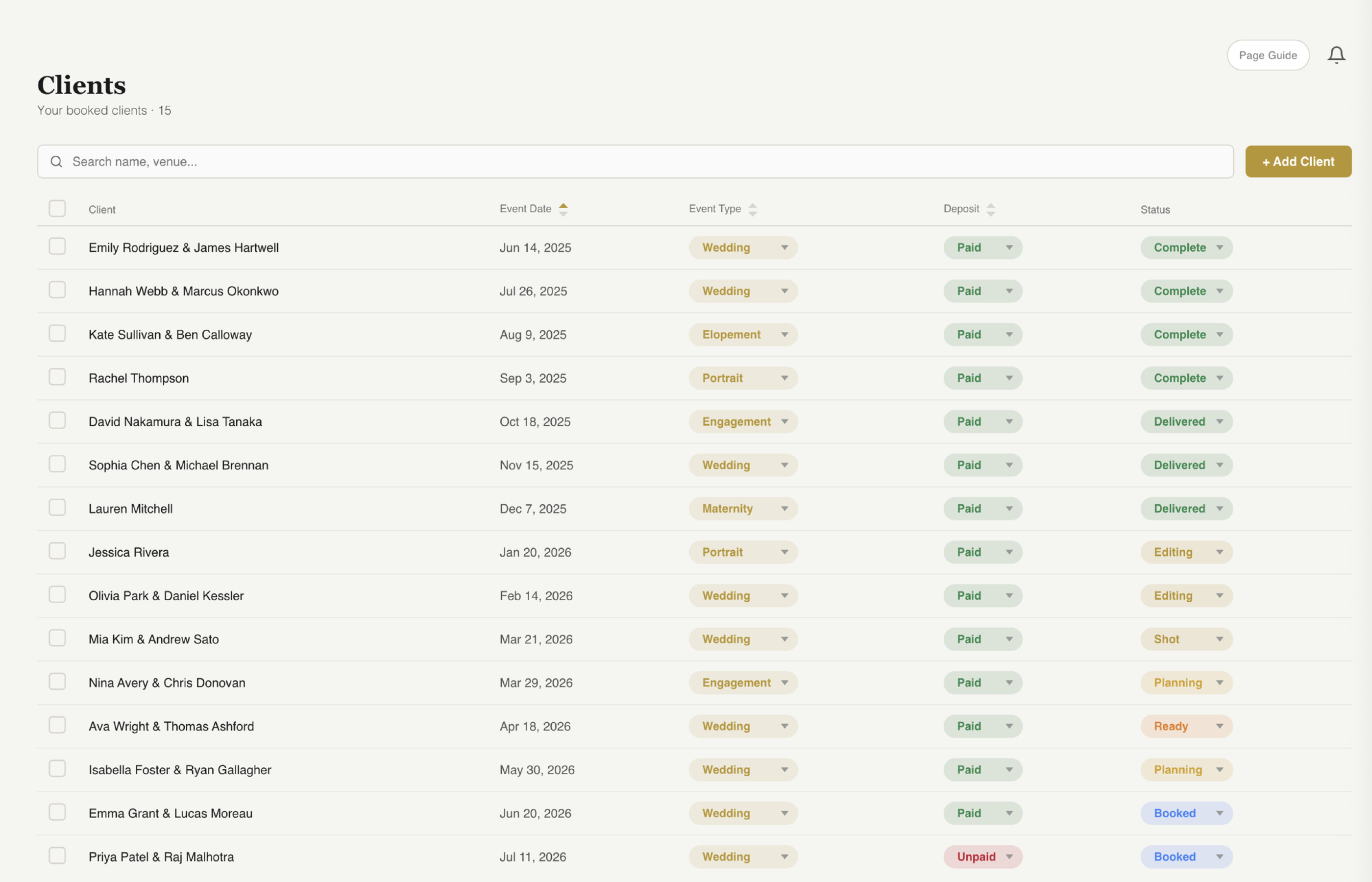
See how fstop's client management works →
The real cost of complexity: A CRM you do not use is worse than no CRM at all. It gives you false confidence that you have a system while your actual business still runs on chaos. Simple beats powerful if powerful means abandoned.
What to Actually Look For in a Photography CRM
Before you commit to any platform, ask these five questions:
- Can I be up and running in under an hour? If the onboarding requires watching a three-hour tutorial series, move on.
- Does it match my brand? Your contracts, invoices, and emails should carry your logo and colors. Generic templates undercut the premium experience you are trying to build.
- Can I respond to an inquiry in under two minutes? Template-based replies are the difference between booking a client and losing one to whoever responded first.
- Can I see my full pipeline at a glance? If you have to dig to find out which leads need follow-up, the system is not working for you.
- Is the pricing honest and predictable? Plans that gate basic CRM features behind higher price points are a red flag. You should not have to upgrade to send a contract.
Why Fstop Was Built Differently
Fstop was built specifically for photographers and videographers, by someone who understood that the biggest problem in the market was not a lack of features. It was a lack of focus.
Here is what makes it different:
- Every CRM feature on every plan. Plans from $19.99/mo. No feature gates inside the CRM. No surprises. Contracts, invoices, email templates, pipeline, branding, all of it, from day one. The only thing higher tiers add is client photo gallery storage.
- Built for photographers, not service businesses in general. The workflow matches how a photography business actually operates: inquiry comes in, you respond fast, you send a contract, you collect a deposit, you shoot, you deliver. That flow is built into the product.
- Branded everything. Your logo, your colors, your domain. Every email, contract, and invoice your client sees looks like it came from a premium, organized business, because it does.
- Gmail integration that actually works. Send and receive emails from your own Gmail address inside Fstop. Clients never know you are using a CRM. It just looks like you are incredibly on top of things.
- Up and running fast. No three-hour setup process. No complex automation builder. Clear, focused, and designed to let you spend your time shooting instead of configuring software.
- Pipeline that shows you what needs attention. Every inquiry, at every stage, visible at a glance. You know exactly who to follow up with and when, without having to remember anything.
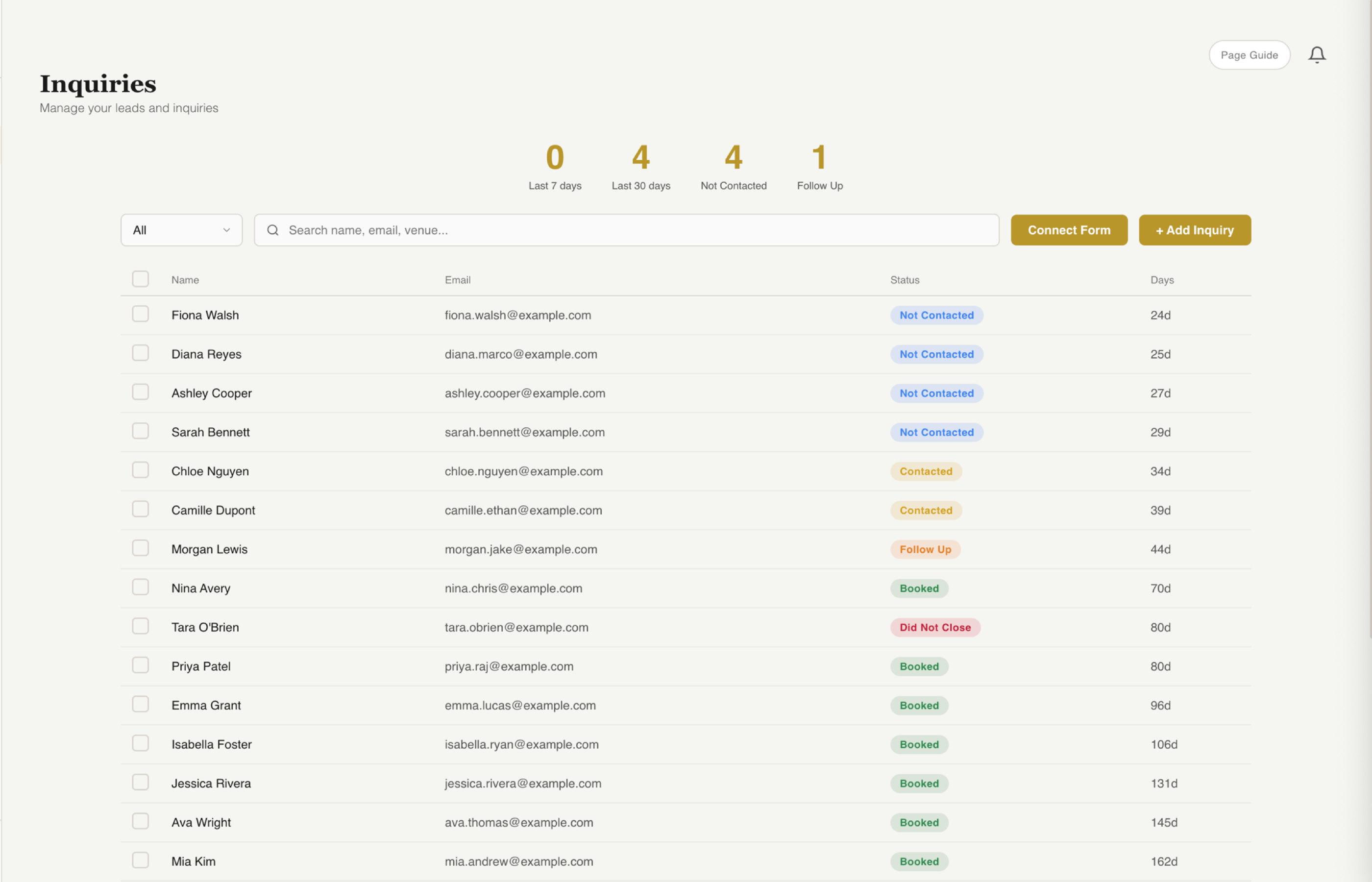
See how fstop's inquiry pipeline works →
Side by Side: How Fstop Compares
| Feature | Fstop | HoneyBook | Dubsado |
|---|---|---|---|
| Monthly Price | From $19.99 | $39 - $79 | $20 (steep learning curve) |
| Built for photographers | Yes, specifically | General service biz | General service biz |
| Setup time | Under an hour | Several hours | Days to weeks |
| Gmail send integration | Yes, native | Limited | Limited |
| Branded contracts + invoices | Yes, fully | Yes | Yes |
| Feature bloat | Minimal | Moderate | High |
| Free trial | 7 days, cancel anytime | 7 days | 3 clients free |
The Bottom Line
Every photographer who runs a real business needs a CRM. The question is not whether to get one. The question is which one will you actually use.
If you want something powerful and are willing to invest serious time in setup, Dubsado is capable. If you want something with broad name recognition and can stomach the pricing tiers, HoneyBook works. If you want something built specifically for photographers, priced fairly, and ready to use in under an hour, Fstop is the answer.
The best CRM is the one you open every day. For most photographers, that means simple, focused, and fast.
Try the CRM built for photographers.
Every CRM feature on every plan, from $19.99/mo. Up and running in under an hour.
Start Your Trial