Form Builder
Don't like your website's default form? Build a custom branded one inside fstop and embed it anywhere with a single code snippet.
Start Free Trial
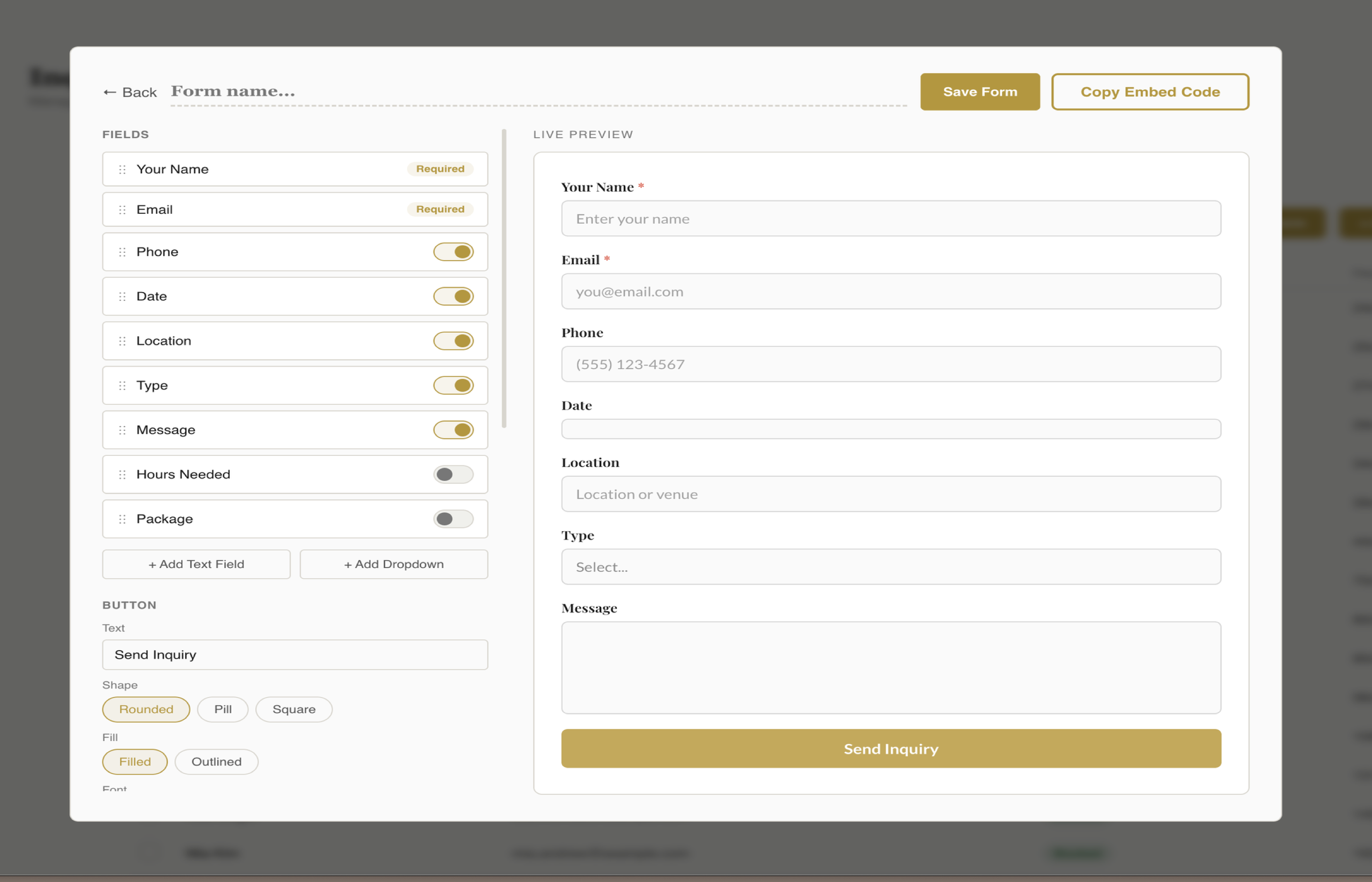
Arrange fields in any order with drag-and-drop. Toggle fields on or off, edit labels and placeholders. Name and email are always required — everything else is up to you.
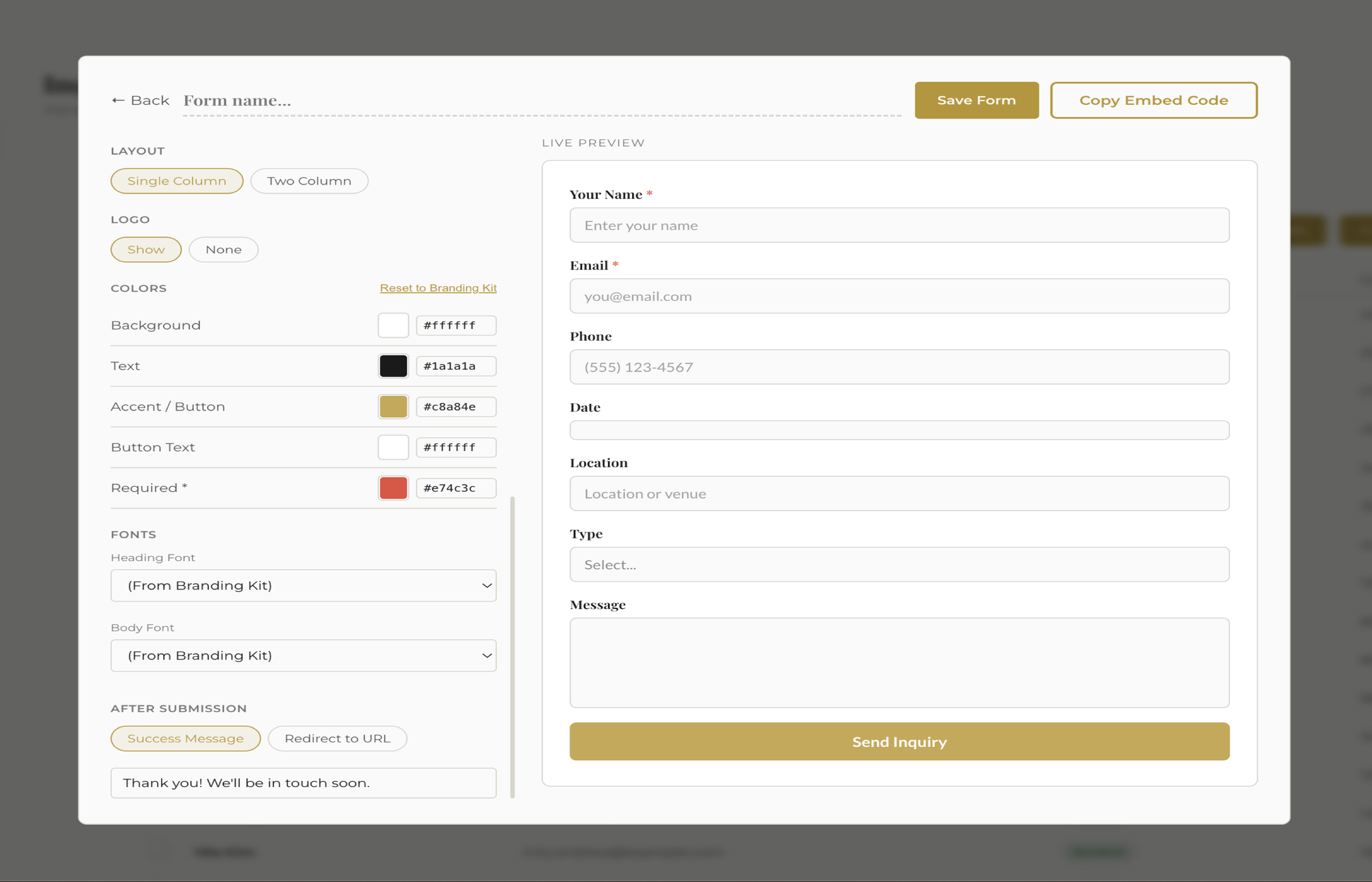
Five color pickers for background, text, accent, button text, and required asterisks. Choose from 17 Google Fonts for headings and body text. Reset to your branding kit anytime.
One click generates a self-contained HTML+CSS+JS snippet. Paste it into any website platform. No dependencies, mobile responsive, scoped styles that won't break your site.
See It In Action
Styling
Choose rounded, underline, or boxed field styles. Pick pill, rounded, or square button shapes. Toggle between single or two-column layouts. The live preview updates in real time so you see exactly what your visitors will see.
Connect
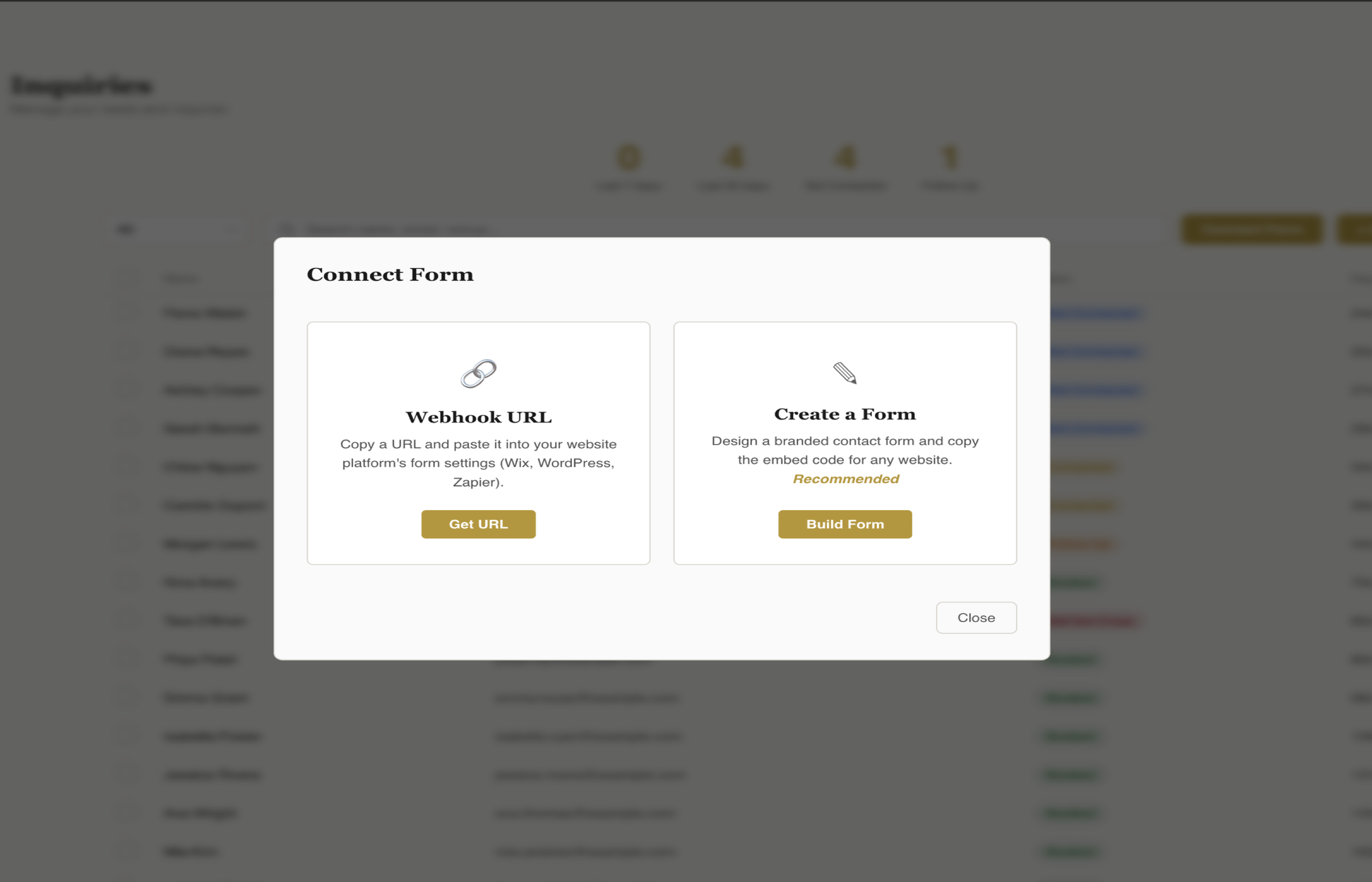
Two ways to get inquiries flowing: embed your custom form with a code snippet, or use a webhook URL to connect your existing website form. Either way, every submission lands in your fstop inbox instantly.
Works Everywhere
Design your form in fstop, copy the code, paste it into your website. Done.
Paste into a Code Block on any page. Your form inherits your Squarespace layout while keeping fstop styling.
Paste into an HTML iframe or use the Custom Element widget. Or connect your existing Wix form via webhook.
Paste into an Embed Code widget. ShowIt doesn't support webhooks, so fstop's embed form is the perfect fit.
Paste into a Custom HTML block in the block editor. Or connect Contact Form 7 via the free webhook plugin.
Design a branded contact form, copy the code, and embed it on your website. Inquiries flow straight into fstop.
Start Free Trial