Sending a photography contract should take thirty seconds, not thirty minutes. But if you are still writing contracts in Google Docs, emailing PDFs back and forth, or asking clients to print, sign, and scan a piece of paper, it is costing you time and making you look less professional than you are.
The modern way: build a reusable contract template with smart variables that auto-fill your client's details, send it with one click, and let them sign electronically from their phone. This guide walks you through the entire process in fstop.
1 Build Your Contract Template
Go to the Contracts page and click New Template. The rich text editor lets you write your contract with full formatting: headings, bold, italic, bullet lists, and numbered sections.
The key feature is smart variables. Instead of typing your client's name, event date, venue, or package details into the contract, you insert variable placeholders like:
- {client_name} — the client's full name
- {event_date} — their event or session date
- {venue} — the venue or location
- {package} — the package they selected
- {total} — the total contract amount
When you send the contract, these variables automatically fill in with the real data from your client's record. You write the template once and reuse it for every client without editing a single word.
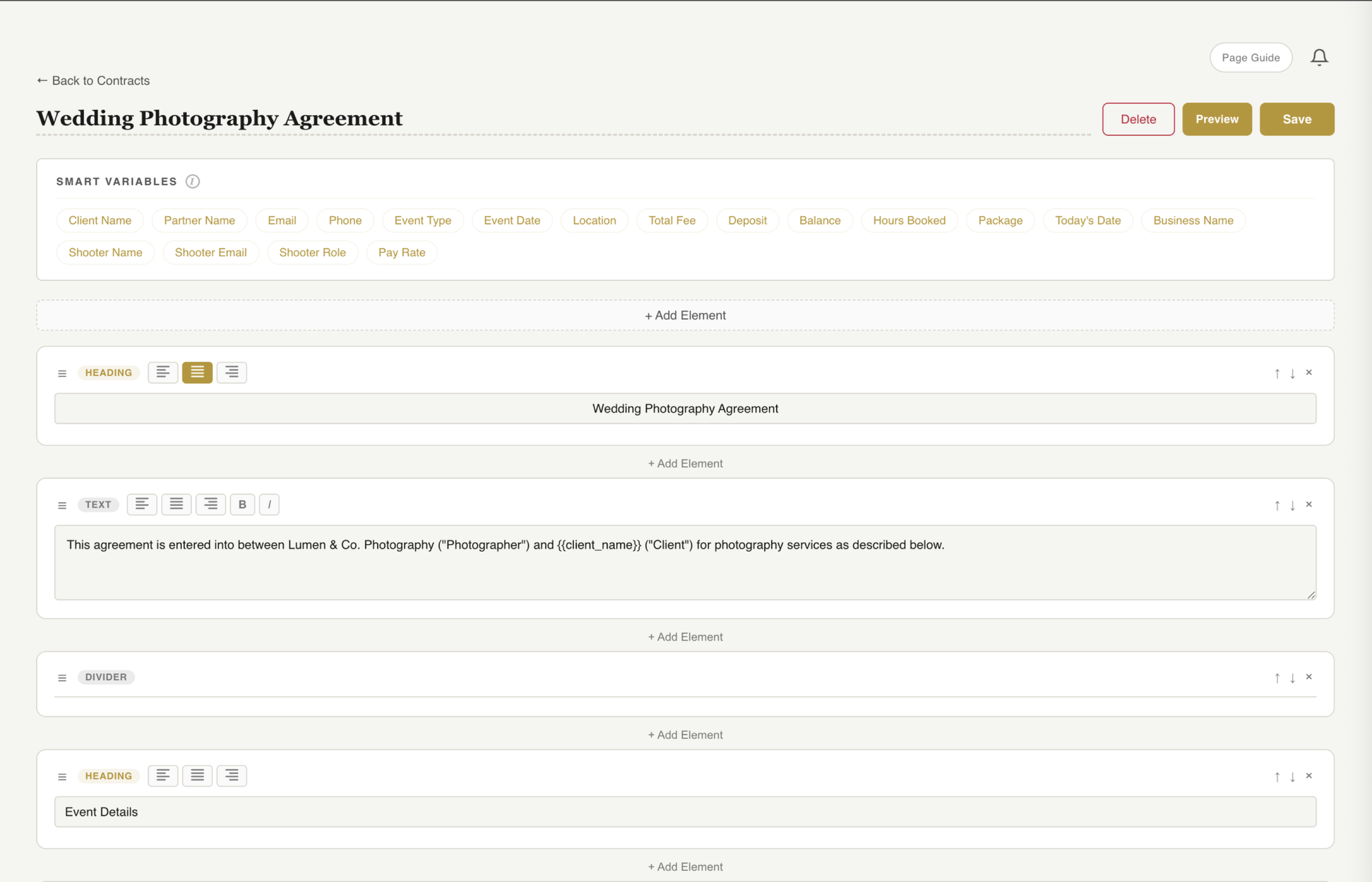
The contract editor with smart variable picker. Insert variables from the sidebar and they auto-fill when you send.
Tip: Create separate templates for different shoot types. A wedding contract needs different terms than a headshot session or a mini session. Build each one once, then select the right template when you send.
Your contract automatically uses your brand colors, fonts, and logo from your branding kit, so every contract looks like it came from a professional studio, not a generic template.
2 Preview With Real Client Data
Before you send anything, click Preview. This shows you exactly what your client will see, with all smart variables resolved into real names, dates, and details.
This is your chance to catch anything that looks off:
- Missing client information that did not fill in
- Formatting issues or awkward line breaks
- Branding that needs tweaking
- Terms that need updating for this specific booking
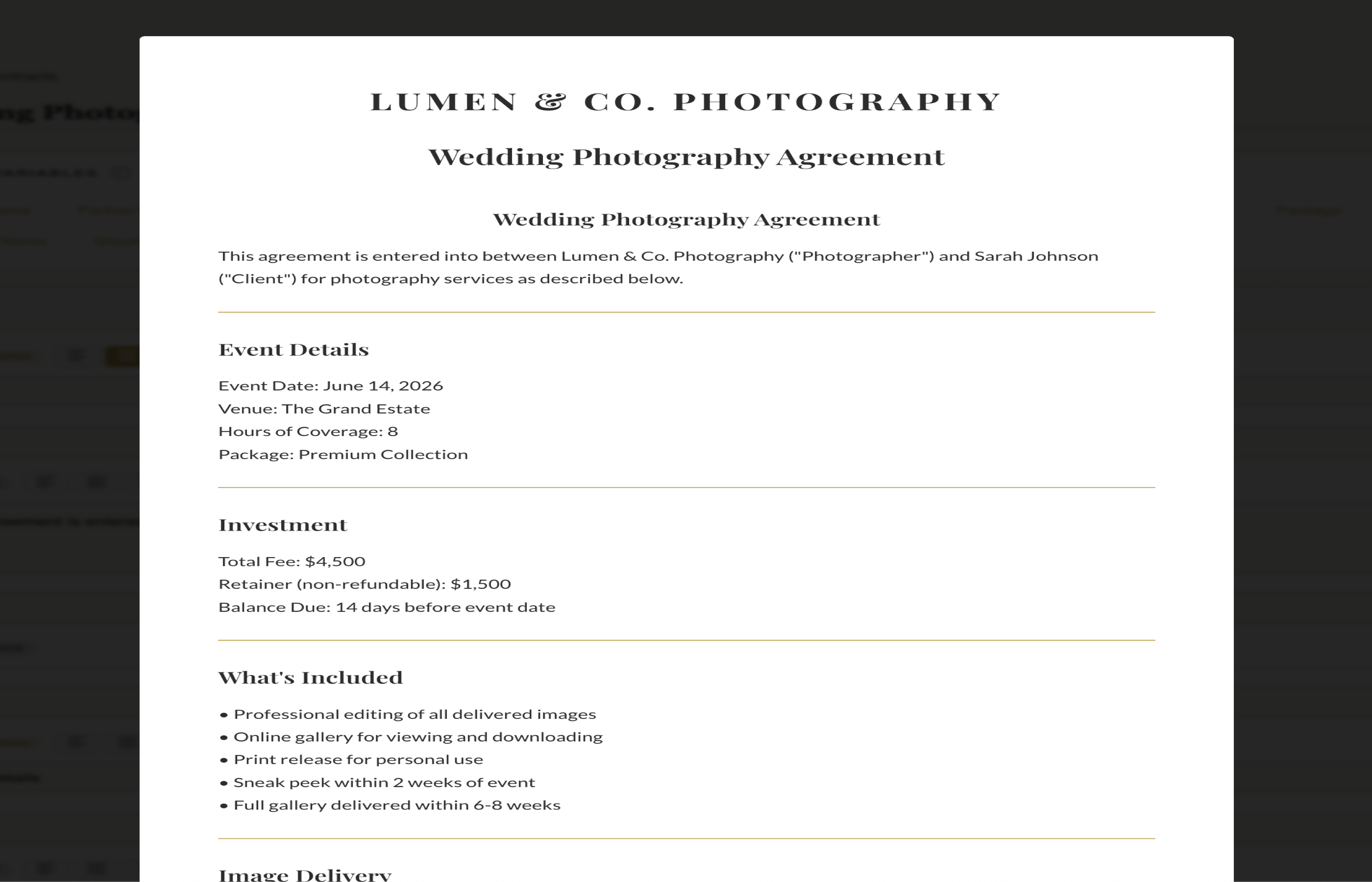
The preview shows your contract exactly as the client will see it, with all variables filled in.
What you see in the preview is what your client sees when they open the link. It is mobile-responsive, so it looks clean whether they open it on their laptop or their phone.
3 Send for E-Signature
When the preview looks good, click Send Contract. A modal opens where you select the client and the template. Fstop auto-fills the contract with that client's details and sends a branded email from your connected Gmail account.
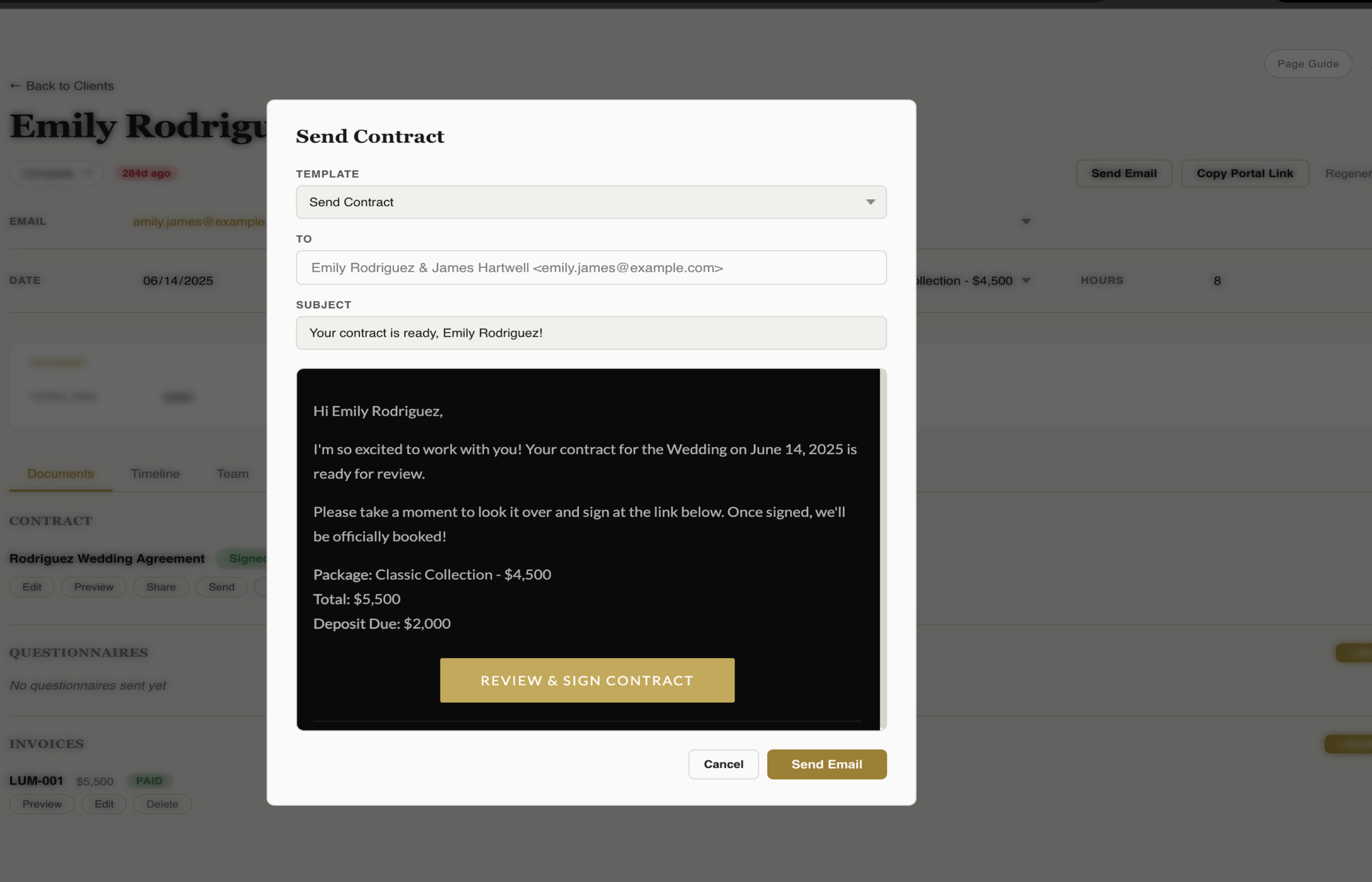
Select the client, pick the template, and send. The contract auto-fills and delivers via your Gmail.
The client receives a clean, branded email with a link to review the full contract and sign it electronically. There is nothing to download, no PDF to open, no printing involved. They read it, scroll to the bottom, draw or type their signature, and they are done.
The speed advantage: Studies show that photographers who respond to inquiries within 5 minutes are significantly more likely to book. The same principle applies to contracts. The faster you send the contract after a client says yes, the less time there is for second-guessing. One-click sending makes this instant.
4 Track the Signature
Once the contract is sent, you can see its status on the Contracts page: sent, viewed, or signed. When the client signs, you get notified immediately.
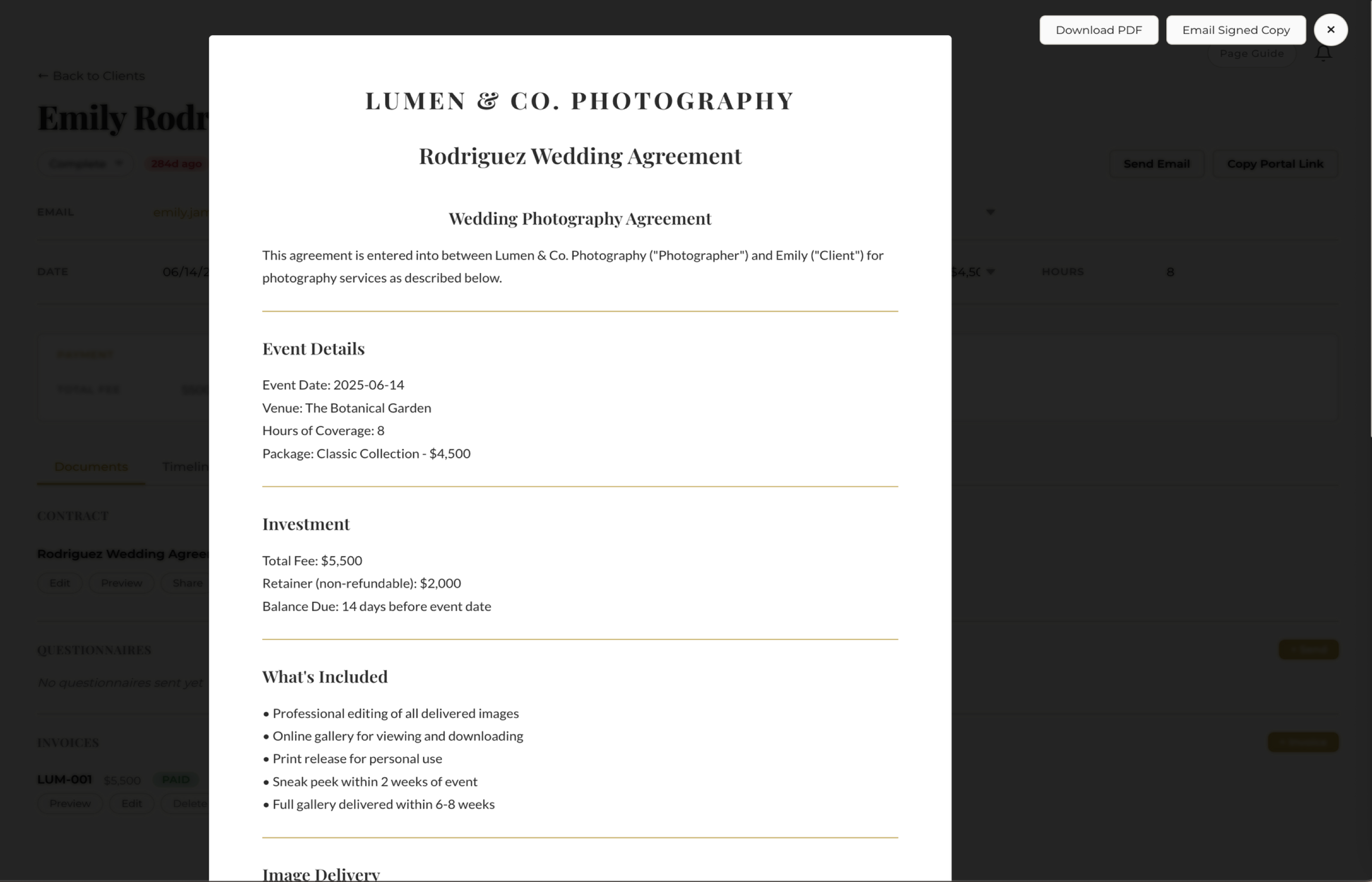
Signed contracts are stored in the client's record with a timestamp and downloadable as PDF.
Every signed contract is:
- Stored permanently in the client's record — no more digging through email to find signed documents
- Timestamped with a full audit trail for legal protection
- Downloadable as PDF anytime you need a copy for your records or the client's
What Should Be in Your Photography Contract
If you are writing your first contract or want to make sure yours covers the essentials, here are the sections every photography contract should include:
- Services provided — what you are delivering (hours of coverage, number of edited images, deliverables)
- Date, time, and location — when and where the shoot happens
- Pricing and payment schedule — total amount, deposit, and when remaining payments are due
- Cancellation and rescheduling policy — what happens if the client cancels or needs to move the date
- Image rights and usage — who owns the images, whether you can use them for portfolio/marketing
- Delivery timeline — when the client can expect their edited images
- Liability limitations — what happens if equipment fails, weather disrupts an outdoor shoot, etc.
For a deeper dive into writing a contract that protects you, read our full guide: How to Write a Photography Contract That Protects You.
Why This Beats the Old Way
Here is what the contract process looks like without a system:
- Open a Google Doc, duplicate your template, manually replace names and dates
- Export as PDF, attach to an email, send
- Wait for the client to print it, sign it, scan it, and email it back
- Save the signed version somewhere you will hopefully find it later
With fstop, it is: select client, click send, done. The contract auto-fills, delivers instantly, and the signed copy is stored forever. The entire process takes under a minute.
Start Sending Contracts
Build your first contract template in minutes. Smart variables, e-signatures, and branded PDFs included in every plan.
Start Your Trial