Tutorial
Build a detailed timeline for the wedding day, share it with clients and vendors, and keep everyone on the same page.
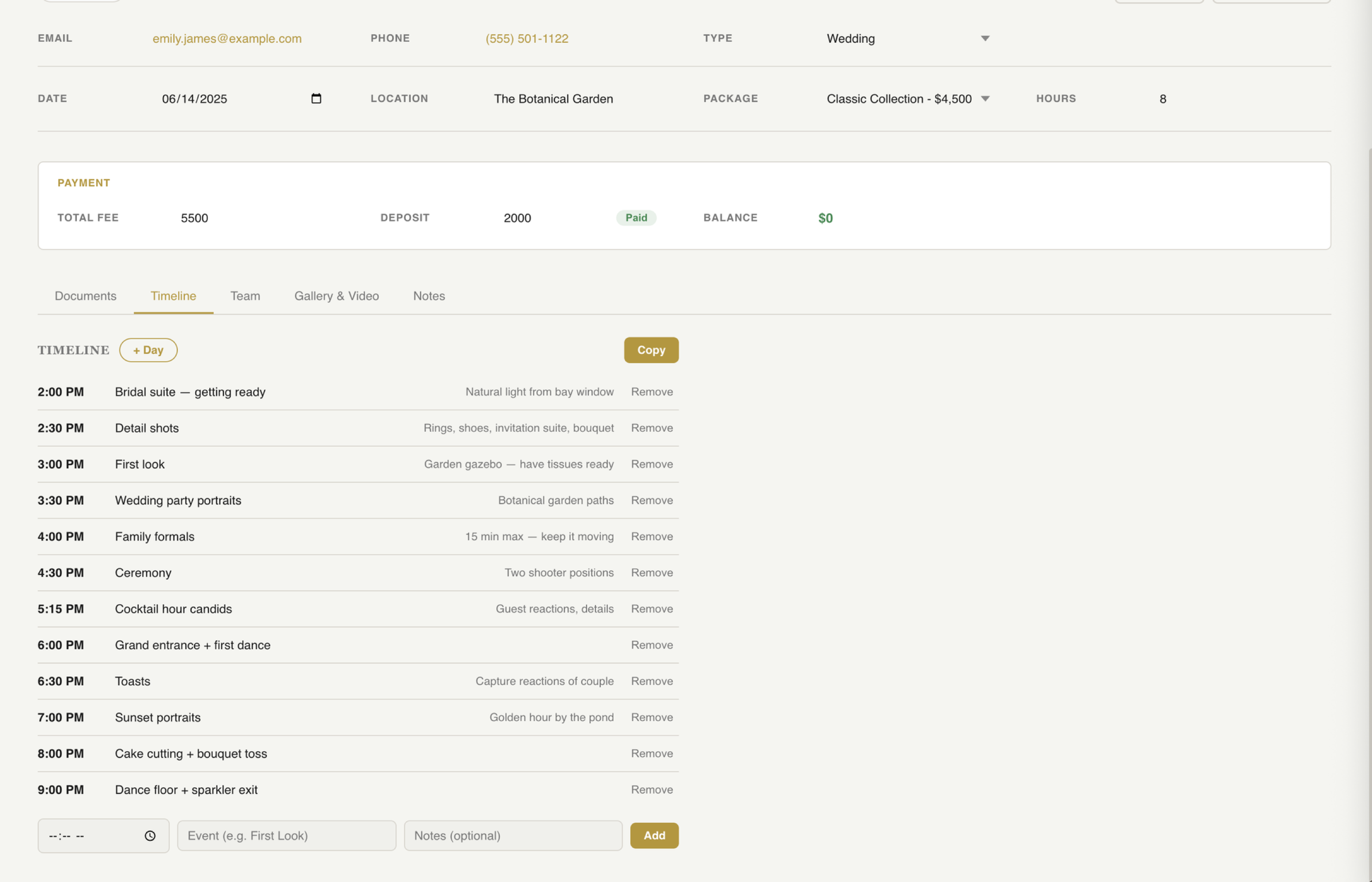
From the client page, create a new timeline. Set the event date and you're ready to start building out the day block by block.
Add blocks for each part of the day — getting ready, first look, ceremony, family formals, cocktail hour, reception, and anything else on the schedule. Each block gets a start time and a duration.
Assign realistic times to each block. Getting ready usually needs 2-3 hours. Family formals typically take 15-20 minutes. Golden hour portraits need at least 30 minutes. Build in buffer so the day doesn't feel rushed.
Attach notes to any time block — which room, which park entrance, which vendor to coordinate with. Add specific locations and contact info so everything is in one place when you need it.
Clients can view their timeline through the portal and share it with their wedding planner, bridal party, or family members. Everyone sees the same plan.
Print the timeline for day-of reference or export it to share with vendors. On a busy wedding day, having a physical copy is still the most reliable backup.
Always add buffer time between locations. Account for travel — it always takes longer than you think. Schedule family formals right after the ceremony while everyone is together. And never underestimate how long getting ready takes.
Plan every moment, share it with everyone, and show up knowing exactly what happens when.
Key Takeaways
Plan every moment so the day runs smoothly.
Clients, planners, and vendors all see the same timeline.
Show up on the wedding day knowing exactly what happens when.
Try fstop free for 7 days.