Tutorial
Build a branded contact form in fstop, copy the code, and paste it on your website. Every submission lands in your pipeline.
Head to your Inquiries page and click Connect Form. From there, choose Form Builder to open the visual editor. This is where you'll design a contact form that matches your brand and collects exactly the information you need from potential clients.
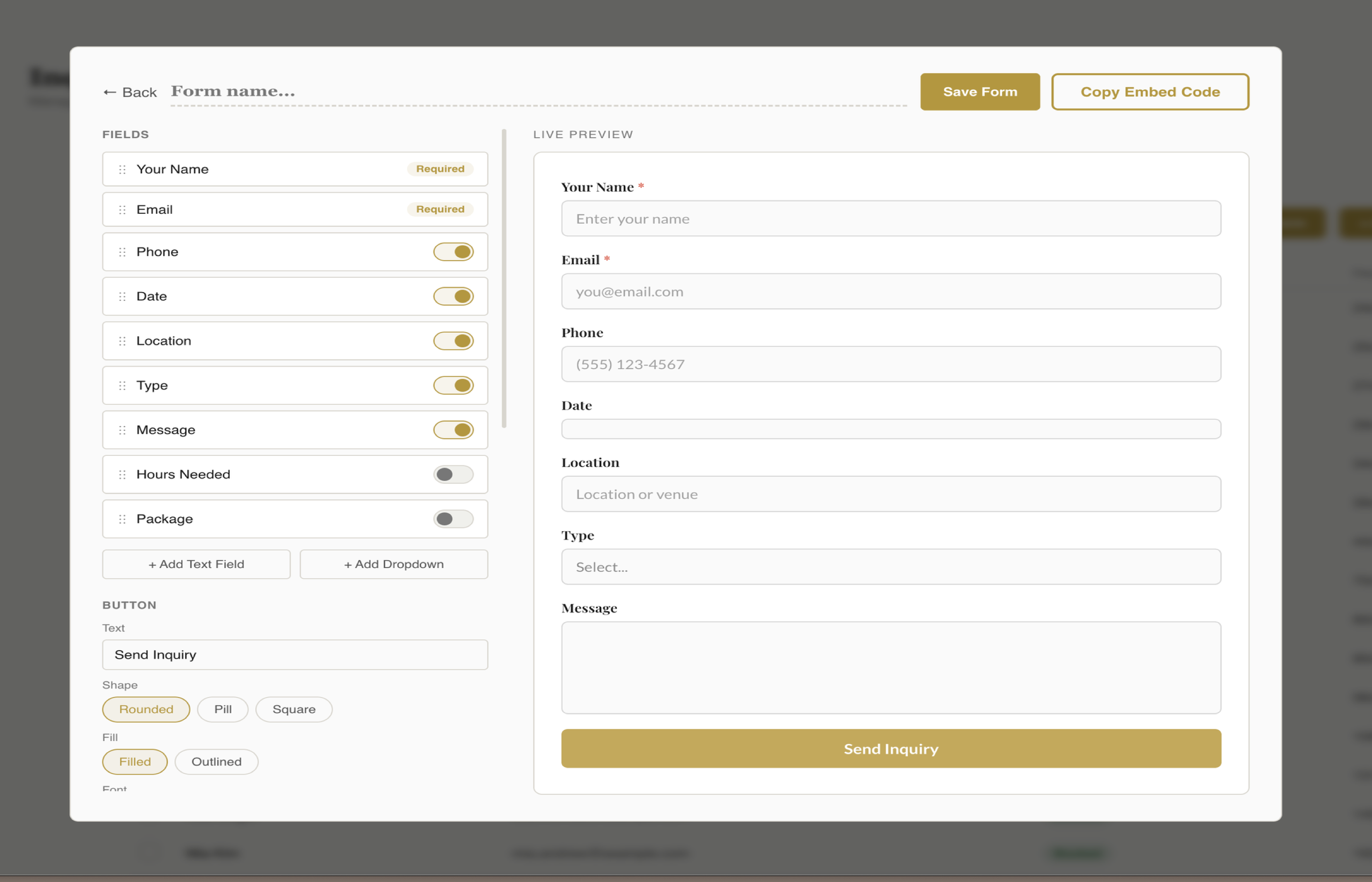
Drag fields to reorder them, toggle fields on or off, and edit labels and placeholder text. Name and Email are always required, but you can mark any other field as required too. For dropdown fields like Event Type and Package, you can add, remove, and rename the options.
Use the style controls to set your form's colors, fonts, field shapes, and button appearance. Choose between rounded, underline, or boxed field styles. Set your button to rounded, pill, or square — filled or outlined. Pick from 17 Google Fonts for headings and body text.
The form builder has five color pickers — background, text, accent, button text, and required asterisk. Set these to match your website's color scheme so the form looks native on your site. You can also reset colors to pull from your fstop brand kit.
When your form looks right, click Copy Code. Fstop generates a self-contained HTML + CSS + JS snippet that's scoped with a .fstop-form prefix so it won't conflict with your website's existing styles. The code is mobile responsive out of the box.
Take the copied code and paste it into your website platform. On Squarespace, use a Code Block. On Wix, use an HTML Embed. On ShowIt, use an Embed Code Widget. On WordPress, paste it into a Custom HTML block. The form works on any platform that supports custom HTML.
Submit a test entry through your live form and watch it appear in your fstop inquiry pipeline within seconds. Every real submission from your website will land the same way — automatically, with all the details your client filled in, ready for you to respond.
One form, any website, every lead captured and ready to book.
Key Takeaways
Drag, drop, style — no coding needed.
Embed on Squarespace, Wix, ShowIt, WordPress, or any site.
Every submission creates a lead in your inquiry pipeline instantly.
Try fstop free for 7 days.