Tutorial
Give clients a branded portal where they can sign contracts, pay invoices, fill out questionnaires, and view their timeline — no login required.
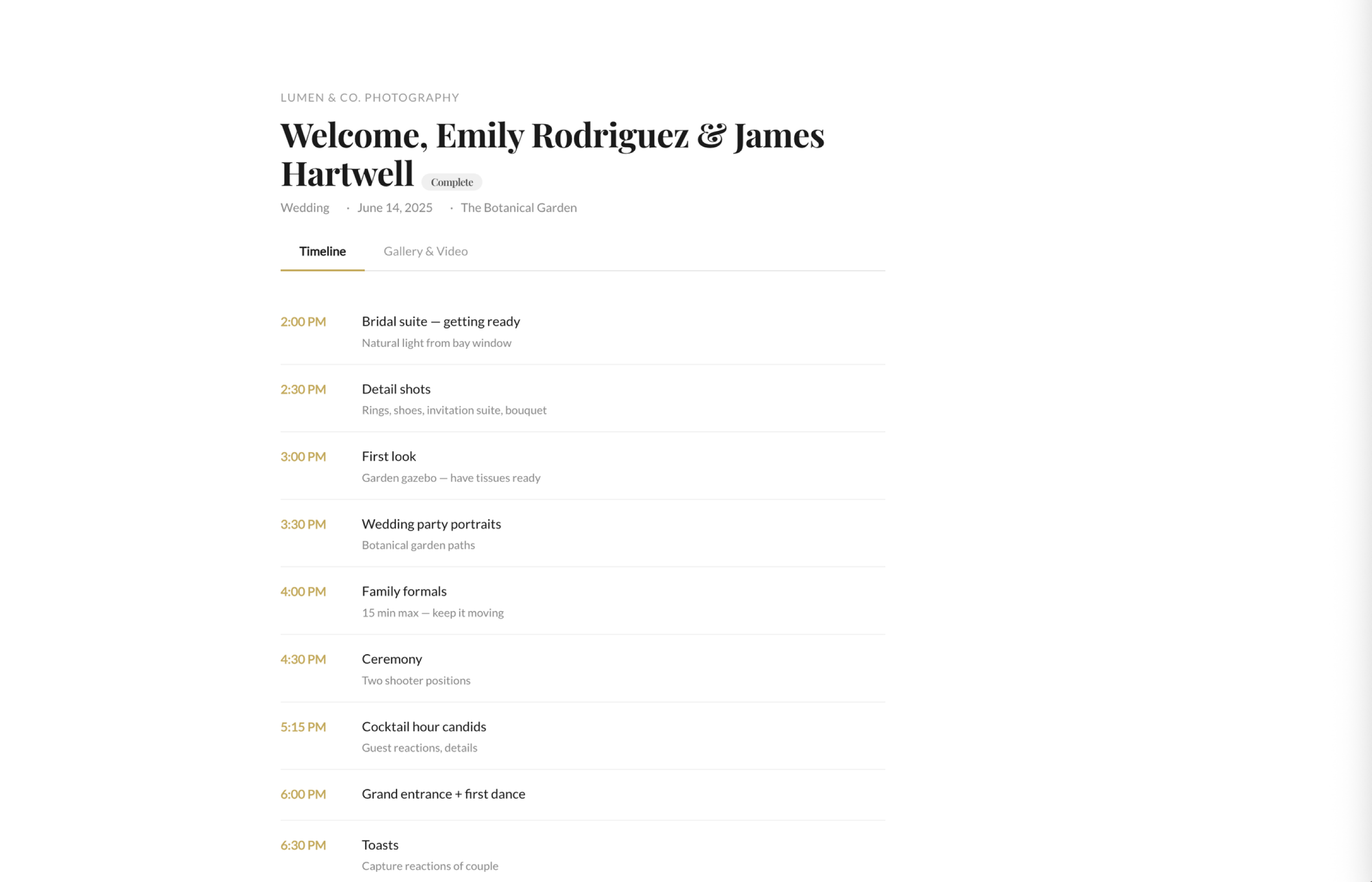
A clean, branded page with your logo and colors. Clients see their contracts, invoices, questionnaires, timeline, and gallery all in one place. It feels like your own custom app.
Clients click to review the contract and sign electronically. No printing, scanning, or mailing. The signed copy is stored permanently for both of you.
Invoices show up in the portal with a clear payment button. Clients can pay online instantly. You get notified when payment hits.
Wedding questionnaires, portrait prep forms, or any custom questionnaire you've created. Clients fill them out at their own pace and you get the responses instantly.
Clients can see their day-of timeline in the portal. Share it with their wedding planner or bridal party. Everyone stays on the same page.
Once you deliver the gallery, clients access it right from their portal. One link for everything — no separate gallery platform needed.
Clients access their portal through a magic link. No username, no password, no forgotten credentials. Just click and they're in.
Send the portal link via email or include it in your welcome message. Clients can bookmark it and come back anytime.
Key Takeaways
Contracts, invoices, questionnaires, timeline, and gallery — all in one branded portal.
Your logo, your colors. Clients feel like they're using your own custom app.
Magic link access means zero friction. Clients click and they're in.
Try fstop free for 7 days.